The most common causes are wrong keyword intent, a mismatched landing page, and broken conversion tracking. Fix tracking first; if your data is wrong, every other fix is built on a false foundation.
-
Solutions
-
 Click Fraud Protection
Block invalid clicks across every ad channel.
-
 Smart Bidding Protection
Feed Google clean, human-only signals.
-
 Clean Remarketing Audiences
Exclude suspicious traffic from your lists.
-
 All Features
Every ClickPatrol feature in one place.
-
 E-commerce & Retail
Protect shopping campaigns and product feeds.
-
 Service Providers
Stop wasted spend on local & lead-gen ads.
-
 Mobile App Providers
Protect app install and in-app ad campaigns.
-
 Marketing Agencies
Show clients real, reportable media savings.
-
 All Industries
Browse click fraud protection by industry.
-
 Small Business
Affordable protection that pays for itself.
-
 Enterprises
Scale protection across brands & accounts.
-
 Regional Companies
Keep local budgets on real, nearby buyers.
-
 Multinationals
Consistent protection across every market.
-
-
Resources
-
What is Click Fraud?
Learn what fake PPC clicks are and why they matter.
-
 Bot Traffic
Detect and block non-human clicks.
-
 Competitor Fraud
Stop rivals draining your budget.
-
 Sophisticated Fraud
Catch SIVT that native filters miss.
-
 Click Farms
Stop coordinated low-quality click operations.
-
 Invalid Traffic
Block every click that never converts.
-
 FAQ
FAQ
Answers to the most common questions.
-
 Blog
Blog
Articles and guides from our expert team.
-
 Comparisons
ClickPatrol vs ClickCease and other tools.
-
 Tools
Tools
Free tools by ClickPatrol & Friends.
-
 About ClickPatrol™
Who we are and our mission.
-
 Case Studies
Why agencies and businesses use ClickPatrol.
-
 Customer Reviews
Reviews and success stories from customers.
-
 Partner Program
Join our affiliate & partner program.
-
 Contact us
Talk to our team about your ad traffic.
-
- Pricing
Google Ads not converting? Why small businesses get clicks but no sales (2026 fix guide)
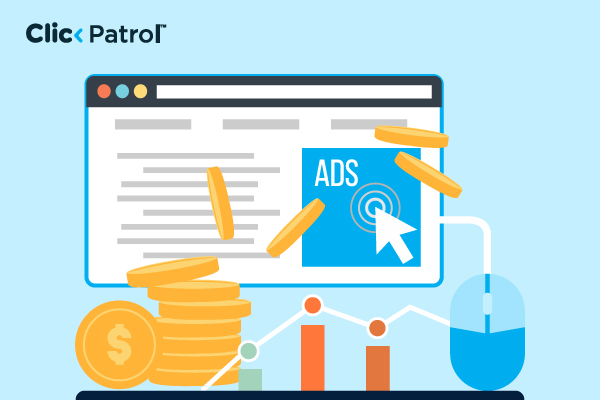
If your Google Ads are generating clicks but not converting into calls, leads, or purchases, it usually means something breaks after the click.
The traffic is there, but the message, targeting, or landing page is not doing enough to convert visitors into customers.
Since Google Ads clicks are already high-intent compared to most traffic sources, this gap often points to fixable issues in setup or execution, not the platform itself.
This article breaks down the most common reasons this happens and shows you practical ways to fix each one so you can turn more clicks into actual sales.
Why do small businesses' Google Ads get clicks but no sales?
It usually comes down to one or more of these issues:
Wrong search intent
Broad keywords attract researchers, not buyers. Google may show your ads for informational searches like "how SEO works" alongside buying searches like "hire SEO agency London."
Only buying intent converts, and without tight keyword control, the budget drains on traffic that was never going to purchase.
Landing page mismatch
If your ad and landing page don’t clearly match, users leave quickly. Each ad group should have a dedicated landing page, not your homepage. Poor relevance also increases CPC and lowers performance.
Poor or missing conversion tracking
If tracking is wrong or incomplete, Google can’t learn what converts. This leads to bad optimisation and wasted spend.
Fix tracking issues, such as duplicates or broken goals, first.
Budget spread too thin
Smart Bidding needs enough data (around 30 conversions per month). Splitting a small budget across too many campaigns or keywords prevents learning. Focus the budget on a few high-intent campaigns instead.
Default settings are working against you
Some defaults waste money:
- “Presence or interest” location targeting
- Broad match without negative keywords
- Auto-applied recommendations
Real-world case study
In June 2025, Stride Creative took over a small business's Google Search Ads campaign that had been running for years with low click-through rates, flat conversions, and inefficient spend.
After fixing negative keywords, landing page alignment, and bidding strategy, the campaign tripled conversions while cutting ad spend by nearly half in just four months.
What is a good conversion rate for Google Ads?
A “good” conversion rate for Google Ads depends heavily on your industry, traffic quality, and what you’re calling a conversion (purchase, lead form, sign-up, etc.). But there are useful benchmarks you can use as a guide.
For most industries, a typical Google Ads conversion rate falls between 2% and 5%. That means out of 100 ad clicks, about 2 to 5 people complete your desired action.
Here’s a more practical breakdown:
- Below 2% → Usually indicates issues with targeting, landing page experience, or message mismatch between ad and page
- 2% – 5% → Average performance for many industries (generally acceptable)
- 5% – 10% → Strong performance, usually shows good alignment between ad, audience, and landing page
- 10%+ → Excellent performance, often seen in high-intent niches (e.g., branded search, local services, emergency services)
Industry matters a lot
Some sectors naturally convert better than others:
- Legal, insurance, finance: often 5% – 10%+ (high intent, urgent need)
- E-commerce: usually 1.5% – 3% (more browsing behavior)
- B2B services/lead generation: around 3% – 8%
- Education/courses: often 3% – 7%
Important context (this is where people get it wrong)
A “good” conversion rate doesn’t always mean profit. You also need to consider:
- Cost per conversion (CPA)
- Lead quality (not just volume)
- Customer lifetime value (LTV)
So, a 3% conversion rate can be excellent if your leads are high-quality and profitable.
How to diagnose why your Google Ads are getting clicks but no sales
If your Google Ads are generating clicks but not sales, the issue is rarely random. It usually sits in one of four areas: traffic quality, landing page experience, tracking accuracy, or campaign structure.
Use the steps below in order. This helps you avoid fixing the wrong problem first and wasting budget.
Check search intent (Search Terms Report)
Start with the Search Terms report in Google Ads to see what people actually searched before clicking your ad. Focus on intent:
- Are users ready to buy or just researching?
- Do the search terms match your product or service?
Then clean up traffic:
- Add clearly irrelevant searches as negative keywords
- Separate high-intent keywords from research-based ones
- Don’t assume terms like “best” are irrelevant; some indicate strong purchase intent
Check landing page alignment
Next, assess what happens after the click. Ask:
- Does the landing page match the ad message?
- Is the offer immediately clear?
- Is the call-to-action visible without scrolling?
- Does the page load quickly on mobile?
Watch for user behavior signals:
- Quick exits
- Low engagement or scrolling
- Short time on page
Verify conversion tracking
Before drawing conclusions, confirm that your tracking is accurate. Check:
- Conversion tags are firing correctly (Google Tag Assistant or GTM Preview)
- Conversions appear correctly in Google Ads
- GA4 events align with actual business actions
Also, confirm you are tracking the right conversion action, not just secondary events. If tracking is broken, performance data will be misleading.
Analyze performance by segment
Do not rely on overall averages. Break performance down by keyword, device, and audience. Compare:
- Cost per click (CPC)
- Conversion rate (CVR)
- Cost per acquisition (CPA)
Then interpret patterns:
- High CPC + low CVR → targeting or intent mismatch
- Low CPC + low CVR → weak traffic quality or poor relevance
- High CPC + high CVR → strong traffic, but needs efficiency optimization
Review campaign structure and budget distribution
Finally, check how your campaigns are organized. Look for:
- Too many small campaigns are splitting data
- Low conversion volume per campaign
- Fragmented budget limiting learning
Smart bidding performs better when it has enough consistent conversion data. In many cases, consolidating high-intent traffic improves performance stability and optimisation speed.
How Google Ads performance differs by industry
Not all click conversions are created equal; each industry has its own unique intent signals, trust signals, and conversion behaviors.
One of the most common mistakes when trying to improve small-business campaigns is applying a solution to an issue that doesn't apply to their industry at all.
Local Services (plumbers, electricians, cleaners, handymen)
- These searchers have a high intent and are looking for fast replies. The conversion process takes place through phone calls, not by filling out forms
- The biggest roadblock to conversions on these pages is a poor landing page with no phone number showing in the header
- For this industry, trust signals play an important role: reviews, coverage, and time in business turn interested visitors into callers
- Negative keywords will filter out job postings, DIY searches, and training inquiries
E-commerce
- Searchers compare prices before buying. Conversion intent is present but easily lost to competitors
- The biggest conversion killers are slow page speed, unclear pricing, and weak product descriptions
- Trust signals here are return policies, secure checkout badges, and customer reviews on the product page
- Broad match expansion is particularly dangerous in e-commerce; irrelevant queries drain budget fast
Professional Services (accountants, solicitors, consultants)
- Searchers are cautious and take longer to convert; multiple touchpoints are common before a decision
- The biggest conversion killer is a landing page that looks generic or lacks credentials
- Trust signals here are accreditations, case studies, named team members, and clear pricing ranges
- Remarketing is more important here than in any other category because first-click conversion rates are naturally lower
B2B Services
- Searchers are evaluating options, not making immediate decisions; conversion cycles are long
- The biggest conversion killer is asking for too much information too soon on a form
- Trust signals here are client logos, case studies, and named results, not generic testimonials
- Smart Bidding struggles in B2B because conversion volume is naturally low, making manual CPC or Target CPA with conservative targets a safer starting point
How Google's Smart Bidding algorithm learns and why low data breaks it
Google Smart Bidding (in Google Ads) is basically a prediction system. It learns who is likely to convert and adjusts bids automatically in real time.
How it learns (simple version)
Every time someone clicks or converts, the system studies the pattern behind it, such as:
- Device used
- Location and time
- Search query
- Audience behaviour
Over time, it builds a “profile” of users who are more likely to convert. Then it uses that to decide how much to bid in future auctions.
Why low data breaks it
Smart Bidding struggles when there isn’t enough conversion data. Here’s what goes wrong:
- No clear patterns: With too few conversions, the system can’t confidently tell what’s working.
- Decisions become unstable: One or two conversions can wrongly influence bidding decisions.
- Learning never settles: Every change resets learning, so the system keeps “guessing.”
- Performance fluctuates: You’ll see rising costs, uneven traffic, or inconsistent conversions.
Google Ads diagnostic framework (step-by-step)
If your Google Ads are getting clicks but no sales, use this order to identify the real problem:
- Check search intent using the Search Terms report
- Review landing page performance (bounce rate, engagement, message match)
- Verify conversion tracking accuracy (Google Tag Assistant / GA4 events)
- Analyse performance by segment (device, location, audience, keyword)
- Review campaign structure and budget distribution
This framework helps isolate the exact point where users drop off instead of guessing.
How long before Google Ads produces sales for small businesses?
One of the most common reasons small businesses abandon Google Ads too early is unrealistic expectations for timelines.
Campaigns need time to learn, stabilise, and optimize before results become consistent. Here is what to expect at each stage:
Week 1: Learning phase
- Google is collecting data on which queries, devices, audiences, and times of day trigger your ads
- Conversion volume will be low or zero; this is expected
- Do not make major changes during this phase; every change resets the learning cycle
- Focus on: confirming conversion tracking is firing correctly, reviewing the Search
Week 2–3: Optimization phase
- Smart Bidding begins to identify patterns from early conversion data
- CPC may fluctuate as the algorithm tests different bid levels
- This is the right time to make controlled adjustments, pause underperforming keywords, refine ad copy, and tighten audience targeting
- Do not cut the budget or change the bidding strategy during this phase unless spending is completely out of control
Week 4+: Scaling phase
- If conversion data is sufficient (30+ per month), Smart Bidding stabilises, and performance becomes more predictable
- This is the right time to increase the budget on what is working, expand to new keywords, or test new ad variations
- Campaigns that show strong CPA at this stage are ready to scale
- Campaigns still showing zero or near-zero conversions at week 4 have a structural problem: revisit intent, landing page, and tracking before increasing spend.
How do you fix small business Google Ads that get clicks but no sales?
When Google Ads generate clicks but no sales, the issue is usually not traffic, it is a breakdown across intent, landing page, tracking, and trust.
Fix search intent targeting
Use the Search Terms report to identify what people are actually searching for. Remove irrelevant or informational queries using negative keywords and focus on high-intent terms like “buy,” “hire,” “pricing,” “book,” or “near me.”
Fix landing page alignment
Each ad group should lead to a dedicated landing page that matches the ad message. Avoid sending all traffic to the homepage.
Ensure:
- The page loads quickly
- The headline matches the ad
- The call-to-action is visible immediately
Fix conversion tracking
Ensure conversion tracking is correctly set up in Google Ads and GA4. Check that:
- Tags fire correctly
- Conversions appear under “Conversions” (not just “All conversions”)
- You are tracking real business actions (not soft metrics)
Fix campaign structure and budget
Avoid spreading budget across too many campaigns or keywords. Consolidate high-intent traffic so Smart Bidding can learn properly and optimise performance.
Fix trust signals
Add reviews, testimonials, certifications, and clear contact details. Users often click from interest but convert based on trust.
Negative keyword starter list
Add these before your campaign starts spending heavily, then refine them using real Search Terms data.
- Jobs & employment intent: free, jobs, careers, hiring, apprentice, salary, wages, internship
- DIY/informational searches (use based on business type): how to, how do I, what is, definition, tutorial, step by step, examples
- Comparison and research intent (apply carefully): vs, compare, alternatives, reddit, forum
- Price-focused searches: cheap, cheapest, free, discount, coupon, promo, voucher, low cost
How to apply negative keywords in Google Ads
You can use:
- Exact match [keyword] to block only that specific search term
- Phrase match "keyword" to block any search containing that phrase
Use phrase negatives for broader filtering and exact negatives for tighter control.
Landing page checklist
Above the fold
- Headline matches the ad copy
- One CTA button or short form is immediately visible
- A phone number is prominent if calls are the goal
- Loads in under 3 seconds on mobile
Trust signals
- At least three reviews or star ratings are visible
- Credentials, accreditations, or years in business stated
- Service area or address mentioned for local businesses
Conversion
- The form asks only for name, contact, and the request
- Thank-you confirmation fires the conversion tag
- No navigation links are pulling visitors off the page before converting
Common Google Ads mistakes that harm sales
Many Google Ads campaigns get clicks but fail to generate sales because of avoidable setup and strategy issues.
Most problems come from structure, not the platform.
- Targeting broad or irrelevant keywords that attract people who are only researching, not ready to buy
- Poor alignment between ad copy and landing page, causing users to leave quickly after clicking
- Missing trust signals, such as reviews, guarantees, or clear contact details
- Incorrect or incomplete conversion tracking, leading to misleading performance data
- Weak or unclear offers that fail to compete with alternatives in the market
How much should a small business spend on Google Ads?
A realistic minimum is $500 per month. Structure matters more than budget. A well-built $500 campaign consistently outperforms a poorly built $2,000 one.
| Business Type | Suggested Monthly Minimum |
| Local service (plumber, electrician, cleaner) | $500–$1,000 |
| Professional service (accountant, solicitor) | $1,000–$2,000 |
| E-commerce | $1,500–$3,000 |
| Competitive national service | $2,500+ |
When should a small business hire a Google Ads professional?
Running Google Ads can work at a small scale, but as spending increases or results stay inconsistent, it becomes harder to manage effectively without experience.
A professional is usually needed when the account starts to affect real revenue and small mistakes become costly.
- When you’re spending but not getting profitable sales: If you’ve already tried basic fixes like improving keywords, ads, and landing pages, but results are still poor, it’s time for expert help.
- When you can’t identify what’s working or wasting budget: If your campaigns are growing in size but the data feels confusing, a professional can bring structure and clarity.
- When tracking is not reliable or unclear: If you’re not confident that conversions are being recorded correctly, your decisions are based on incomplete or misleading data.
- When Google Ads becomes a key source of revenue: If ads are no longer just experimental and now drive a meaningful part of your sales, professional management helps protect and grow that revenue.
Stop spending more, fix what is not working
Clicks without sales are rarely a budget issue. In most cases, the real problem is weak targeting, poor landing page alignment, missing trust signals, or broken tracking.
Before increasing spend, focus on fixing the fundamentals:
- Target high-intent search terms
- Align ads tightly with landing pages
- Ensure conversion tracking is accurate
- Strengthen trust signals like reviews and proof
- Use the Search Terms report to remove wasted traffic
Once these are aligned, clicks begin to turn into real conversions and ad spend becomes more efficient.
Frequently Asked Questions
Why is my small business's Google Ads getting clicks but no sales?
How much should a small business spend on Google Ads?
A minimum of $500 per month, with $1,000–$2,500 a stronger starting point at moderate competition. Structure matters more than budget.
Should a small business use broad-match keywords?
Not without a comprehensive negative keyword list and existing conversion data. Without those, broad match drains budget at full CPC on traffic that will never buy.
How do I know if my conversion tracking is working?
Click your own ad, complete the action, and confirm the tag fires in Google Tag Assistant. The conversion must appear in the "Conversions" column, not just "All Conversions."
How long before a campaign should produce sales?
Expect early signals within 2–4 weeks on a correctly built campaign. If you have spent 2–3x your target CPA with zero conversions, something structural is wrong.
Is it normal to get clicks but no sales in Google Ads?
Yes. It usually means there is a mismatch between search intent, landing page experience, or trust signals rather than a problem with Google Ads itself.
Why do Google Ads get traffic but no leads?
This often happens when keywords are too broad, landing pages are weak, or conversion tracking is not properly set up.
How do I reduce wasted ad spend in Google Ads?
Use negative keywords, tighten targeting, improve landing page relevance, and focus budget on high-intent campaigns.
What is a good conversion rate for Google Ads?
Most industries fall between 2%–5%, but this varies depending on intent, offer strength, and industry type.
How do I fix low conversion rates in Google Ads?
Improve keyword intent, landing page alignment, and trust signals, and ensure accurate conversion tracking before making bid or budget changes.