English
 Nederlands
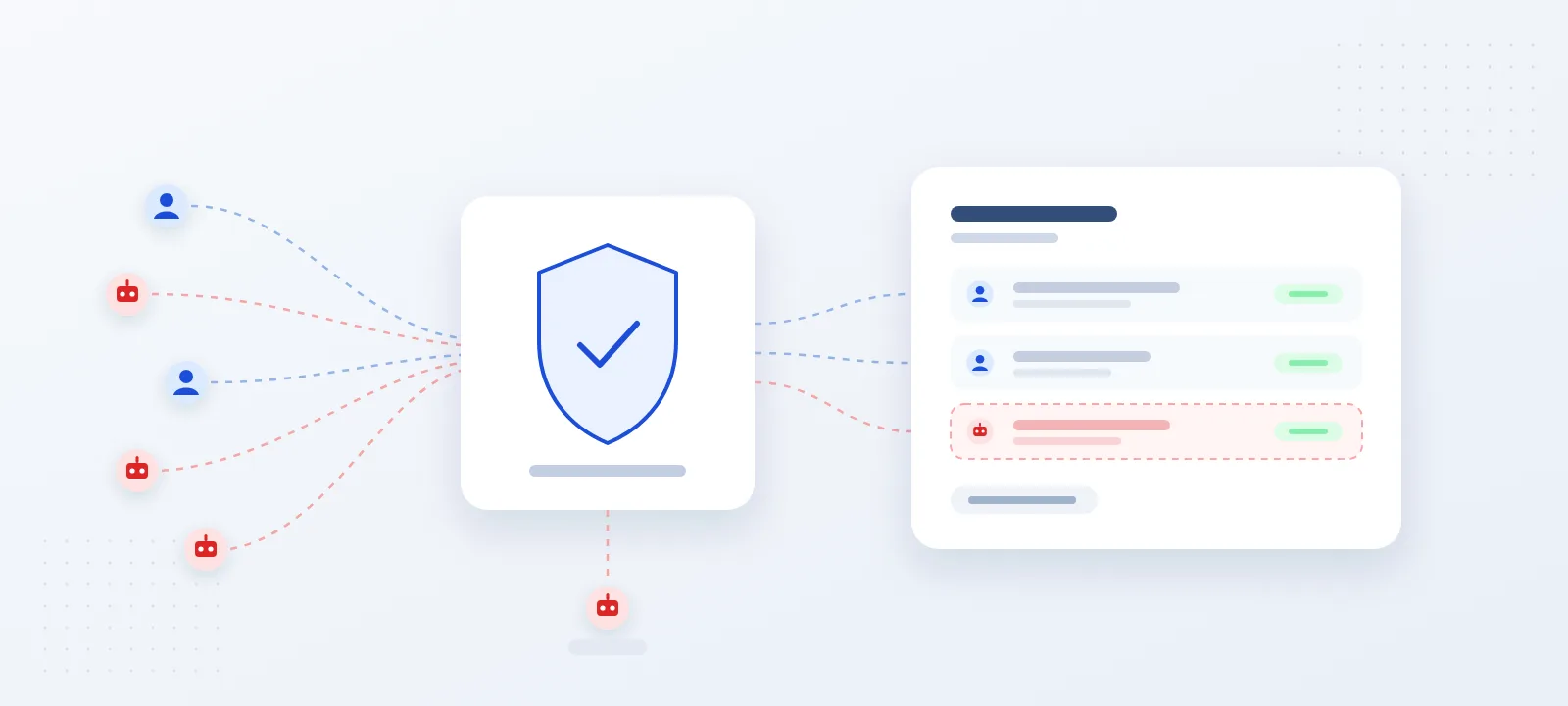
Yes. Google protects you from some click fraud. Its filters automatically catch invalid clicks, and you are not charged for those detected before billing. Some that Google finds later are returned as a credit. You are responsible for the rest: identifying which clicks were invalid, preventing the source from clicking again, excluding bot form fills from your conversions, and reporting anything the filters missed within 60 days.
This guide explains what Google handles itself, where its protection ends, how to review your account, and when paying for extra protection makes sense. It is for advertisers managing their own Google Ads, as well as anyone told by a Google rep that Google already deals with invalid traffic.
How Google tackles click fraud
Google's Ad Traffic Quality team uses, in its own words, "live reviewers, automatic filters, machine learning, and deep research". The company says it runs "over 200 sophisticated filters to stop the vast majority of invalid traffic in real time or soon after". Google does not publish a figure showing how much invalid traffic these filters catch or miss.
Advertisers receive that protection in three ways:
- Removed before billing. When Google detects invalid clicks, it removes them from both your campaign metrics and your bill. Its help page states: "You won't be charged for invalid clicks or impressions."
- Counted without click-level detail. Your campaign reports show traffic already filtered by Google in the Invalid clicks column. The Invalid traffic card on the Overview page tracks this traffic over time.
- Repaid after billing. If Google identifies invalid clicks after billing you, your next invoice receives a credit "where appropriate and possible". Pattern recognition takes time, and Google says it "may take up to several weeks".
What remains your responsibility
Google's filters determine what counts as invalid and what you are charged for. After that decision, any further action must happen in your account. Otherwise, it does not happen.
You get a total, not click-level details
The Invalid clicks column gives you the number of filtered clicks. It does not identify them or explain where they came from or why they were filtered. A manual investigation does not provide that detail either, since Google notes that it "won't be able to confirm if specific clicks were marked as valid or invalid". Google also states that there is "no industry standard for a normal invalid traffic rate". The column by itself therefore cannot show whether your account is fine.
The same source can click again
Removing one click does not prevent another click from the same source. Google does not add IP exclusions to your account on your behalf. You can add up to 500 IP addresses per campaign yourself, or create an account-level list. Performance Max, video, App, hotel and Smart Display campaigns do not support campaign-level IP exclusions, so they require an account-wide list. A manual list is quickly outpaced by bots rotating through residential IP addresses.
You must report anything the filters miss
When you suspect that Google failed to filter invalid clicks, you can request an investigation through the Click Quality Form for activity within the last 60 days. Traffic older than that is excluded, as Google disclaims liability for traffic more than 60 days before your request. Reviews typically take several business days, after which you receive the findings by email. How to report click fraud to Google explains which evidence to gather first.
Bot form fills can still become conversions
Google filters clicks, but not forms on your website. If a bot clicks your ad and completes your contact form, that creates a conversion. Smart Bidding then seeks more visitors like it. The conversion can remain even if Google filters the click later. Google's help page says this is precisely why reports may show more conversions than clicks. A credit refunds the click, but cannot reverse what your bidding learned from it.
"My Google rep says Google handles it": how can I check?
Your rep is correct that Google filters invalid clicks. You can spend an afternoon checking whether that protection is enough for your account:
- In your campaign view, add the Invalid clicks and Invalid click rate columns. Check for weeks when the rate suddenly rises.
- Review your billing for adjustments labelled invalid activity. If credits appear regularly, Google is identifying invalid clicks after billing you.
- For each campaign, compare Google Ads clicks with GA4 sessions. A large difference indicates clicks that did not turn into a real visit.
- Review your latest 50 leads. Fake names, dead phone numbers and duplicate submissions with the same details suggest that bots or competitors are getting through.
- Find out when your daily budget is exhausted and where the clicks originate. Classic signs include a budget spent by mid-morning or clicks arriving from beyond your service area.
When Google's protection is enough
Google's own protection is often sufficient for a small account. Extra protection also has a cost, and under a certain budget, a plan costs more than the average share lost to invalid clicks. ClickPatrol customers save 9% of their ad budget on average. At that rate, an entry plan costing €71 a month pays for itself at roughly €790 in monthly ad spend. Click fraud protection cost compares the prices charged by different tools. If you spend less and the checks above reveal nothing unusual, Google's filters and a few manual IP exclusions may be sufficient.
When Google's protection is not enough
Google's filters rely on what the company can observe across its network. They are not tailored to your keywords, location or competitors. Extra protection is more likely to pay for itself when:
- You pay a high price per click. An emergency plumber in the US pays an average of $78.70 per click. Just a handful of missed invalid clicks each month therefore costs more than a plan. Click fraud in home services provides CPCs for each trade.
- A competitor clicks your ads. To an automatic filter, someone who clicks occasionally resembles a normal visitor. Read how to stop competitors clicking your ads.
- The quality of your leads is declining. As explained under junk leads, junk form fills teach Smart Bidding to target the wrong people.
- You use Performance Max or Display. These campaigns place ads outside Google Search. Performance Max also does not support campaign-level IP exclusions.
For context, ClickPatrol data on Dutch campaigns, published by Emerce in October 2026, found that 8 to 9 percent of paid clicks were not real.
What click fraud protection adds to Google Ads
A click fraud tool covers the work Google leaves to you. For example, ClickPatrol uses a tracking template to check every click on your Search, Display and Performance Max campaigns. It excludes the IP address responsible for an invalid click from the affected campaign, or across the account for Performance Max, which stops that source from seeing your ads. Every scored click appears with its location and network, providing the detail missing from the Invalid clicks column.
ClickPatrol is a Google Certified Click Tracker and reports invalid clicks to Google for you. Google still decides whether to issue credits. About 5% of the clicks reported by ClickPatrol are returned as a credit following a review lasting 4 to 8 weeks. You can also count a conversion only after a visit has been scored as real, allowing Smart Bidding to learn from real enquiries. Google Ads click fraud protection describes the setup. During the 7-day trial, you can see your own invalid clicks before any blocking begins.
Sources
- Google Ad Traffic Quality, How we prevent it and Resources for advertisers. Accessed 23 November 2026.
- Google Ads Help, Invalid clicks: Definition and About invalid traffic. Accessed 23 November 2026.
- Google Ads Help, Exclude IP addresses. Accessed 23 November 2026.
- Click fraud in the Netherlands: ClickPatrol data published by Emerce on 28 October 2026 and summarised in click fraud by ad network.
- ClickPatrol customer savings and credit rates: pricing and Google Ads refunds.