Morning auctions are often competitive, so daily budgets can deplete before noon if bids are aggressive or targeting is wide. Add negative keywords, tighten match types, and use ad schedules to concentrate spend on hours that actually convert instead of burning budget on low-value traffic.
-
Solutions
-
 Click Fraud Protection
Block invalid clicks across every ad channel.
-
 Smart Bidding Protection
Feed Google clean, human-only signals.
-
 Clean Remarketing Audiences
Exclude suspicious traffic from your lists.
-
 All Features
Every ClickPatrol feature in one place.
-
 E-commerce & Retail
Protect shopping campaigns and product feeds.
-
 Service Providers
Stop wasted spend on local & lead-gen ads.
-
 Marketing Agencies
Classify, protect and train every client account.
-
 All Industries
Browse click fraud protection by industry.
-
 Small Business
Affordable protection that pays for itself.
-
 Enterprises
Scale protection across brands & accounts.
-
 Regional Companies
Keep local budgets on real, nearby buyers.
-
 Multinationals
Consistent protection across every market.
-
-
Agencies
-
For Agencies
Classify, protect and train every client account.
-
 Partner Program
Earn 15 to 25% recurring commission on linked clients.
-
 Case Studies
21 UK agencies unlocked over 6% media savings.
-
-
Resources
-
What is Click Fraud?
Learn what fake PPC clicks are and why they matter.
-
 Bot Traffic
Detect and block non-human clicks.
-
 Competitor Fraud
Stop rivals draining your budget.
-
 Sophisticated Fraud
Catch SIVT that native filters miss.
-
 Click Farms
Stop coordinated low-quality click operations.
-
 Invalid Traffic
Block every click that never converts.
-
 Help docs
How to connect Google Ads, GTM and other ad channels.
-
 FAQ
FAQ
Answers to the most common questions.
-
 Blog
Blog
Articles and guides from our expert team.
-
 Comparisons
ClickPatrol vs ClickCease and other tools.
-
 Tools
Tools
Free tools by ClickPatrol & Friends.
-
 About ClickPatrol™
Who we are and our mission.
-
Case Studies
Why agencies and businesses use ClickPatrol.
-
 Customer Reviews
Reviews and success stories from customers.
-
Partner Program
Join our affiliate & partner program.
-
 Contact us
Talk to our team about your ad traffic.
-
- Pricing
Google Ads budget spent too fast? Why it happens and how to fix it (2026)
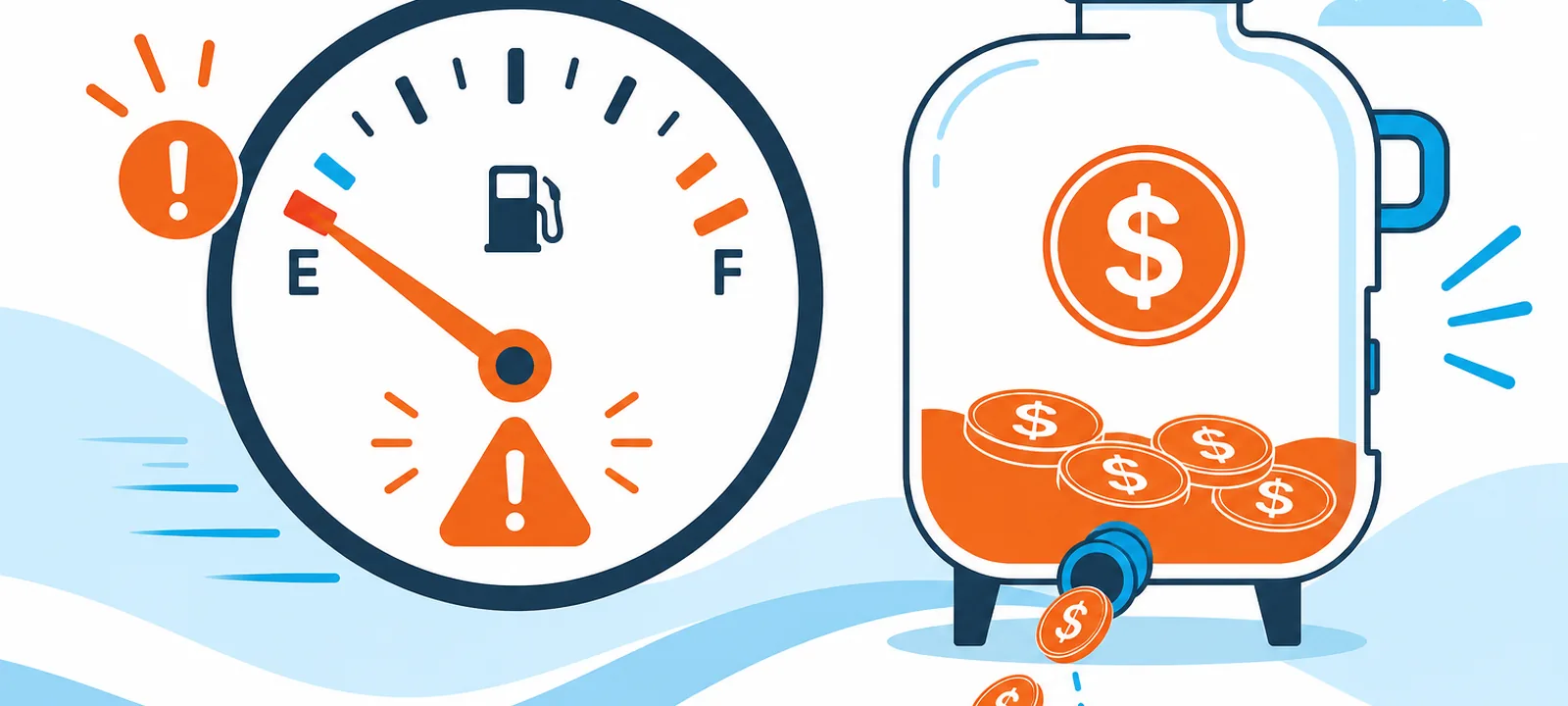
Quick answer: Why is my Google Ads budget running out too fast?
Google Ads budgets deplete quickly when broad keywords, high CPCs, aggressive bidding, or wide targeting pull too many clicks. Google may also spend up to double your daily budget on busy days. Invalid bot or competitor clicks can burn budget early without conversions, leaving no spend for peak hours.
Google Ads budget spent too fast often indicates that one of these things is occurring: your keywords are too broad, your bids are too aggressive, your ads are being shown at the wrong time, or invalid traffic is consuming your money.
One of these can eat up your daily budget before your best chances even see your ads. As of 2023, Google Ads spend globally was over $237 billion, much of which is wasted on ineffective targeting and fake traffic.
According to statistics, invalid clicks are already taking up an increasing portion of ad spend each year.
In this article, you will learn why your budget drains so quickly, how to tell the difference between real demand and wasted spend, and the exact steps to fix it without hurting your campaign performance.
Why is my Google Ads budget spent so quickly?
Most advertisers assume the problem is Google. In reality, the culprit is almost always something inside the campaign itself.
Here are the six most common reasons your budget is gone before the day is half over:
Your keywords are catching the wrong searches
Broad match keywords do not just target your audience; they target anyone loosely connected to your topic. Bidding on "running shoes" could trigger your ad for "how to treat running injuries" or "free running apps."
None of those searches will buy from you, but every click still costs money. By the time your real customers search, the budget is already spent.
Your bids are bigger than your budget can handle
Smart Bidding strategies like Maximize Conversions are built to spend. That is their job. If your daily budget is too small for the bids the algorithm wants to place, Google will burn through it in the first competitive window of the day, usually before 9 AM, and your ads go dark for the rest of it.
Your ads are running when nobody is buying
Without ad scheduling, your campaign runs continuously. That sounds good in theory, but if your customers only convert between 9 AM and 6 PM, you are paying for clicks at midnight that will never lead anywhere.
Those off-peak hours quietly drain your budget before your peak hours even begin.
Bots and fraudulent clicks are burning real money
Not every click on your ad comes from a real person. Click fraud, driven by bots, competitor activity, or click farms, is a persistent problem in Google Ads.
ClickPatrol data shows that invalid clicks account for a significant share of ad spend across competitive industries.
These clicks register a cost, return nothing, and speed up budget depletion faster than any legitimate traffic spike would.
You are targeting places where your customers are not
If your campaign covers an entire country but you only serve one city, you are entering auctions you should never win.
Every click from an unreachable location is wasted. Wider geography does not mean better results; it just means faster budget exhaustion.
Your budget is too small for the audience you are targeting
This one is counterintuitive. A budget that is too tight for the scope of your campaign will always run out early, because Google is trying to squeeze a large audience into a small spend window.
The result is a burst of early activity, a depleted budget, and hours of zero visibility for the rest of the day.
How does Google's budget delivery system work?
Google uses what it calls "standard delivery," which attempts to spread your budget across the full day.
However, the algorithm does not always distribute spend evenly, particularly when auction competition is high or when your Smart Bidding strategy is set to maximise spend.
Google also allows campaigns to spend up to twice the daily budget on any given day, a feature called "overdelivery", to compensate for days when traffic is low.
According to Google's own documentation, while monthly charges will never exceed your daily budget multiplied by 30.4, individual days can see significant overspend.
This system is designed to maximise your reach, but for advertisers with tight budgets, it can feel like Google is spending money faster than intended.
Is my budget being wasted, or is the traffic just not converting?
The difference between a budget that is actually being wasted (irrelevant clicks, fraudulent traffic, poor targeting) and a budget that is actually being spent on genuine traffic that is simply not converting is meaningful.
They both lead to a dipped budget, but the solutions are completely different.
Indications that your budget is being squandered:
- A large number of clicks with a CTR that appears to be too high in your industry.
- Time-on-site of ad traffic in GA4 is very low or zero.
- Real-looking conversions that are not consistent with your CRM data.
- Clicks originating in a place, device or time that is not aligned to your customer profile.
Traffic is a real but non-converting sign:
- Normal clicking pattern, but the bounce rate is high.
- Visitors who arrive at a page that cannot fulfill their search purpose.
- A slow-loading landing page or one that does not have a definite call to action.
- Ads that serve a good cause and appear in relevant searches, but provide a bad user experience.
What can I do to stop my Google Ads budget from running out early?
Here are the most effective fixes, prioritised by impact.
Tighten your keyword match types
Change broad match to phrase match or exact match to your most expensive keywords. This immediately cuts down the number of unnecessary searches that lead to your advertisements.
The Search Terms report in Google Ads can be used to identify which queries are actually costing you money and add irrelevant terms as negative keywords without delay.
Implement negative keywords aggressively
One of the most potent devices to keep your budget safe is a well-maintained negative keyword list.
Remove queries that are spending money without contributing to conversions.
The most popular additions are words such as free, how-to, DIY, and competitor brand names, where you do not want to be.
Ad scheduling configuration
View your conversion data by hour and day of the week. When your customers are busiest on weekdays between 9 AM and 5 PM, lower bids or turn off advertisements altogether at night and on weekends.
To set this up, go to Campaigns → Settings → Ad Schedule, then choose the days and hours you want your ads to run.
Refine geographic targeting
Limit your location targeting to only the areas where your customers are. When serving London, it would not make much sense to display ads throughout the UK.
A smaller geography means your money will go further in the areas that count.
Audit invalid traffic and click fraud
When you have a high volume of clicks but your conversion data doesn't reflect it, you might be losing budget to invalid traffic.
Tools such as ClickPatrol can help you monitor campaigns in real-time. This is particularly necessary in competitive industries with higher rates of click fraud.
Increase your budget or lower your targeting scope
When you really have too little budget to reach the audience that you are trying to reach, you have two options: deepen the budget or narrow the scope.
No algorithm can fix a mismatch between your budget and the size of the audience you are targeting.
Use budget caps and campaign-level controls
Reorganize campaigns in such a way that your most important keywords would have their own campaigns with guaranteed budgets.
This allows an underperforming ad group to eat into the budget available for your best performers.
Smart Bidding vs. manual CPC: which one burns the budget faster?
This is a question many advertisers wrestle with, and the answer is nuanced.
| Feature | Smart Bidding | Manual CPC |
| Budget control | Lower, the algorithm optimizes for conversions, not the spend rate | The higher you set the ceiling per click |
| Speed of budget depletion | Faster designed to spend the full daily budget | Slower, depends on your max CPC settings |
| Performance ceiling | Higher with sufficient data | Limited by manual adjustments |
| Risk of overspend | Higher, especially with Maximize Conversions | Lower |
| Best for | Campaigns with strong conversion history | New campaigns or tight budget constraints |
| Click fraud vulnerability | Higher, the algorithm cannot distinguish between invalid and valid clicks | Moderate, but equally vulnerable without monitoring |
How to track whether your budget is being spent efficiently
Identifying budget wastage through Google Ads entails more than analyzing the Google Ads dashboard.
Here’s where you need to go.
Google Ads Search Terms Report
Here you can see which search terms trigger your ads. Sort the report by cost and identify patterns that may show irrelevant traffic.
GA4 Engagement Metrics
Compare the Google Ads click-through rate with GA4 engagement metrics. A substantial difference between the two metrics could point towards bots or inaccurate tracking.
Impression Share Reports
Impression share is the percentage of times your ad appears out of all the auctions you were eligible to enter.
A combination of low impression share and budget burnout indicates that your bids win costly auctions early in the day and exhaust themselves without exploring cheaper impressions.
ClickPatrol Dashboard
ClickPatrol offers an advanced platform for detecting fraud in Google Ads. Advertisers gain real-time insights into click patterns, identify suspicious activity, and block source IP addresses to prevent fraud.
Geographic and Device Reports
Review reports that analyze your ad campaign performance by geographic location and device. You will notice an anomaly when most of your budget goes to regions or devices that aren’t converting well.
Does Google refund money spent on invalid clicks?
Google has an invalid click detector and states that its system filters out a significant number of invalid clicks before charging for them.
According to Google's Invalid Traffic policy, advertisers will not be charged for any invalid clicks detected by Google.
Nevertheless, this system has its drawbacks. Not all invalid clicks will be filtered automatically, and the refund criteria are not clear enough.
If you think you've been charged for invalid clicks, you can file a report with Google using their invalid activity report form; however, the process of filing such reports is not automated, and results may vary.
How to stop your Google Ads budget from running out too fast
If your Google Ads budget is running out before noon, focus on fixing these first: it is a signal that something in your campaign needs attention.
The good news is that every cause on this list is fixable. If you only have time for a few changes today, prioritize these in order:
- Add negative keywords based on your Search Terms report, and take effect within hours.
- Set up ad scheduling to focus on your highest-converting windows in under 30 minutes.
- Narrow your geographic targeting to only the locations you actually serve.
- Check for invalid traffic by comparing Google Ads clicks against GA4 sessions.
- Review your bidding strategy; if you have fewer than 30 conversions per month, switch to manual CPC or Enhanced CPC.
Frequently Asked Questions
Why does my Google Ads budget run out early?
Can Google spend more than my daily budget?
Yes. Google's overdelivery policy allows up to twice your daily budget on high-traffic days. Monthly spend is capped at roughly your daily budget times 30.4, so single-day spikes do not exceed the monthly ceiling unless you raise limits or remove account-level spend caps.
What is overdelivery in Google Ads?
Overdelivery means Google spends above your daily budget on busy days to capture demand, then balances with slower days later in the month. You cannot disable it, but you can set a monthly spend limit under Tools, Billing Settings, and Monthly Spend Limit for a hard account ceiling.
How can you cut wasted Google Ads spend fast?
Add negative keywords from recent search terms, narrow geo targets, and audit invalid traffic within a day. These three moves usually show impact within the first week. Pause obvious low-converting placements and review device and audience performance before increasing bids again.
Should you use Smart Bidding on small budgets?
Wait until you have enough conversion volume. Google's Smart Bidding documentation suggests roughly 30 to 50 conversions per month for stable learning. Below that threshold, manual CPC or Enhanced CPC gives more control and avoids algorithms overspending on thin or noisy signal.
How can you tell if bots click your ads?
Look for high click-through rate with low conversions, very short GA4 sessions, and gaps between Google Ads clicks and engaged sessions. Unexpected spikes by location or device type also warn of invalid traffic. Third-party click fraud tools help confirm patterns before you request platform credits.

Written & reviewed by
Abisola Tanzako
Content Manager, ClickPatrol (click fraud & invalid-traffic specialist)
Abisola covers bot traffic, ad fraud and PPC protection, drawing on ClickPatrol platform data from 1,793+ businesses.
Last updated: 6 October 2026