Yes. Any substantial change, be it modification of a bidding strategy, budget update, audience adjustment, etc., initiates the learning process, which means ROAS fluctuations. Each additional modification extends the process indefinitely. Allow the campaign to learn itself for at least two weeks and 50 conversions.
-
Solutions
-
 Click Fraud Protection
Block invalid clicks across every ad channel.
-
 Smart Bidding Protection
Feed Google clean, human-only signals.
-
 Clean Remarketing Audiences
Exclude suspicious traffic from your lists.
-
 All Features
Every ClickPatrol feature in one place.
-
 E-commerce & Retail
Protect shopping campaigns and product feeds.
-
 Service Providers
Stop wasted spend on local & lead-gen ads.
-
 Marketing Agencies
Classify, protect and train every client account.
-
 All Industries
Browse click fraud protection by industry.
-
 Small Business
Affordable protection that pays for itself.
-
 Enterprises
Scale protection across brands & accounts.
-
 Regional Companies
Keep local budgets on real, nearby buyers.
-
 Multinationals
Consistent protection across every market.
-
-
Agencies
-
For Agencies
Classify, protect and train every client account.
-
 Partner Program
Earn 15 to 25% recurring commission on linked clients.
-
 Case Studies
21 UK agencies unlocked over 6% media savings.
-
-
Resources
-
What is Click Fraud?
Learn what fake PPC clicks are and why they matter.
-
 Bot Traffic
Detect and block non-human clicks.
-
 Competitor Fraud
Stop rivals draining your budget.
-
 Sophisticated Fraud
Catch SIVT that native filters miss.
-
 Click Farms
Stop coordinated low-quality click operations.
-
 Invalid Traffic
Block every click that never converts.
-
 Help docs
How to connect Google Ads, GTM and other ad channels.
-
 FAQ
FAQ
Answers to the most common questions.
-
 Blog
Blog
Articles and guides from our expert team.
-
 Comparisons
ClickPatrol vs ClickCease and other tools.
-
 Tools
Tools
Free tools by ClickPatrol & Friends.
-
 About ClickPatrol™
Who we are and our mission.
-
Case Studies
Why agencies and businesses use ClickPatrol.
-
 Customer Reviews
Reviews and success stories from customers.
-
Partner Program
Join our affiliate & partner program.
-
 Contact us
Talk to our team about your ad traffic.
-
- Pricing
Why is my ROAS dropping in Google Ads? 12 causes & fixes (2026)
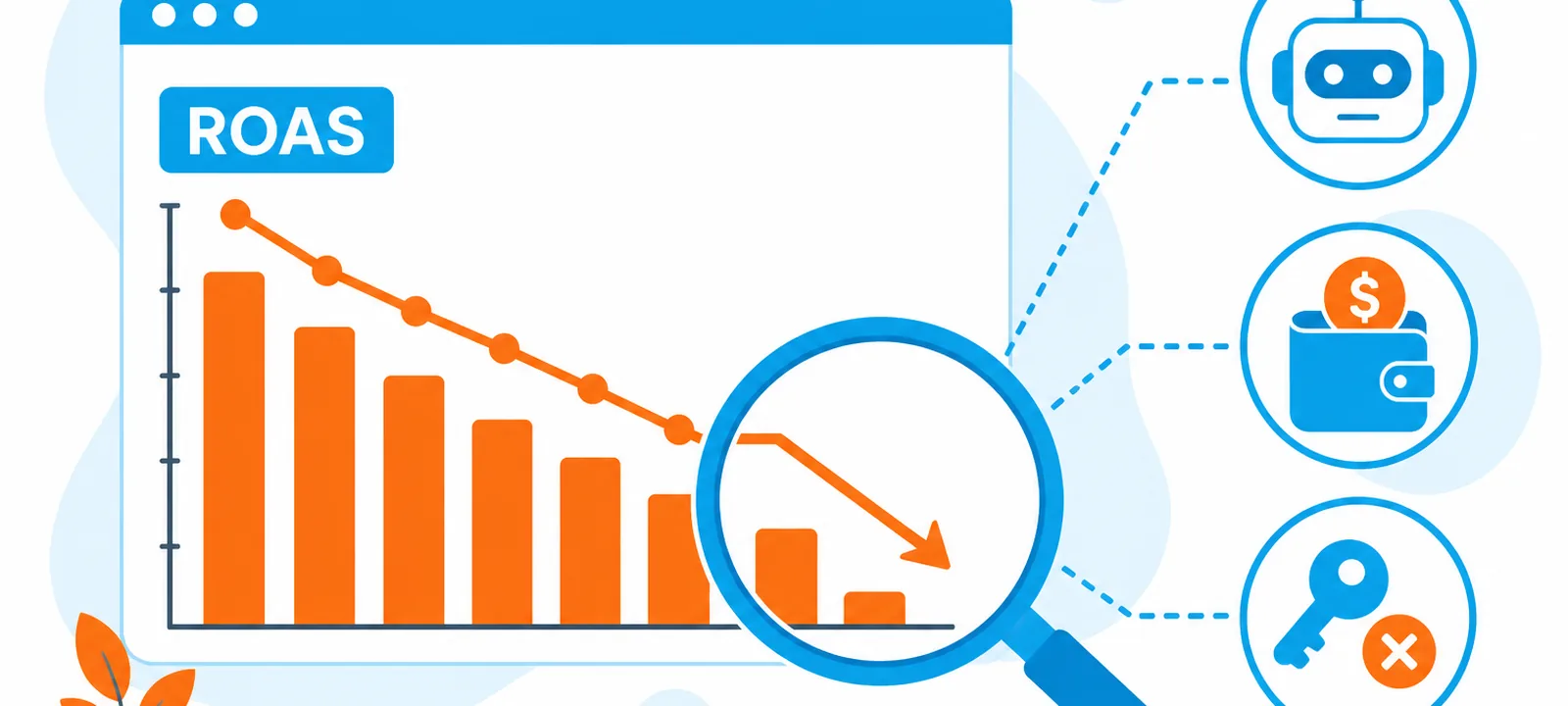
ROAS drops in Google Ads when your costs increase, your conversion rate falls, or your tracking becomes inaccurate.
In most cases, it’s caused by a mix of competition, tracking issues, poor search queries, or landing page performance, not a single problem.
Most ROAS declines aren’t isolated. They stem from overlapping factors such as auction pressure, data errors, creative fatigue, and site issues, many of which aren’t obvious within Google Ads.
This guide breaks down the 12 most common causes, how to diagnose the real issue, and the exact steps to fix it.
ROAS Drop: Quick diagnosis table
Use this table to quickly match your symptom to the most likely cause and first fix.
| Symptom | Most Likely Cause | First Action |
| ROAS dropped overnight | Tracking error or disapproval | Check tags + Policy Manager |
| Spend up, conversions flat | Broad match query expansion | Audit Search Terms, add negatives |
| CPC rising, CTR flat | Increased auction competition | Review the Auction Insights report |
| Conversions down, traffic stable | Landing page/checkout issue | Test page speed + conversion path |
| ROAS differs from GA4 vs Ads | Attribution model mismatch | Align attribution windows in both tools |
| Shopping ROAS collapsed | Merchant Center disapprovals | Check MC Diagnostics, fix feed errors |
| Smart Bidding underperforming | Learning phase after a change | Wait 2–4 weeks, avoid bid changes |
| ROAS fell, conversions unchanged | Attribution model/tracking illusion | Compare Ads data vs CRM revenue |
| PMax ROAS dropped suddenly | Asset group fatigue/feed error | Refresh assets, check MC feed health |
What is ROAS, and why does it matter?
ROAS (Return on Ad Spend) measures how much revenue you generate for every dollar spent:
ROAS = Conversion Value ÷ Ad Spend × 100
A drop in ROAS always comes down to one of three things:
- costs increasing (CPC up)
- conversion rate falling
- conversion value decreasing
Your break-even point depends on margins:
Break-even ROAS = 1 ÷ Gross Margin
For example, at a 35% margin, you need at least 286% ROAS to break even.
Even small changes have impact. A 15% increase in CPC with no conversion rate change can significantly reduce ROAS. Identifying which part of the equation changed is the first step to fixing it.
Is your ROAS drop real or a tracking issue?
Is your revenue actually down, or just your ROAS? If ROAS dropped in Google Ads but your CRM revenue, orders, and overall conversion rate are stable, you’re likely dealing with a tracking issue, not a performance problem.
Common causes include:
- Broken or missing conversion tags
- Duplicate conversions inflating past data
- Attribution model changes
- GA4 import or syncing errors
Compare Google Ads conversions with your CRM or backend data for the same period.
If the difference exceeds 15%, fix tracking before making any campaign changes. Optimizing bids or budgets with inaccurate data will only worsen performance.
What are the 12 most common reasons ROAS drops in Google Ads?
ROAS drops when costs rise, conversion rates fall, or conversion value declines. The causes below explain what typically drives these changes.
Growing competition in the auction
New competitors entering the auction or existing advertisers increasing bids will push CPCs higher regardless of your own changes.
In high-intent verticals, CPCs have steadily increased, and even a 15–20% rise can significantly reduce ROAS if conversion rates remain stable.
For example, a 20% CPC increase can lead to roughly a 17% drop in ROAS without any targeting or bidding changes.
How to confirm:
Review the Auction Insights report during the period your ROAS declined:
- New competitors entering the auction
- Higher impression overlap
- Increased outranking share
What to do:
Improve Quality Score (CTR, ad relevance, landing page)
Shift spend toward high-intent queries
Smart bidding learning phase disruption
Any significant change (budget, bids, audiences, creatives) resets the Smart Bidding learning phase.
During this time, Google throttles and redistributes traffic while recalibrating, often causing temporary ROAS instability.
This phase typically requires 14 days and 50 conversions.
How to confirm:
- Campaign status shows “Limited by learning”
- Recent changes were made before the ROAS drop
What to do:
- Avoid changes for 2–4 weeks
- Ensure sufficient conversion volume
- Consolidate campaigns if the data is fragmented
Broken or misconfigured conversion tracking
Tracking errors are one of the most common and underdiagnosed causes of ROAS drops.
Missing tags, duplicate conversions, or data mismatches can distort performance, making ROAS appear lower (or higher) than it actually is.
Common causes:
- Missing tags after site migration
- dataLayer overwritten during CMS updates
- GA4 migration inconsistencies
- iOS/privacy-related tracking loss
How to confirm:
- Compare Google Ads conversions with your CRM or backend data.
- A discrepancy above 15% indicates a tracking issue.
What to do:
- Audit tags using Google Tag Assistant
- Validate conversion events and firing rules
- Fix duplication or missing tracking
Landing page conversion rate decline
Even if traffic quality stays constant, a drop in conversion rate will reduce ROAS.
Small UX or performance issues, like slower load times or broken checkout flows, can significantly impact conversions.
Key signals:
- Traffic stable, conversions down
- Decline across both paid and organic
How to confirm:
- Test landing pages using PageSpeed Insights and manually complete the conversion flow.
What to do:
- Fix load speed issues (especially mobile)
- Check checkout/payment functionality
- Resolve rendering or UX problems
Keyword match type drift and irrelevant search queries
Broad match expansion can trigger ads for lower-intent or irrelevant searches.
Over time, this increases spending without improving conversions, lowering ROAS.
How to confirm:
Review the Search Terms report:
- High spend with no conversions
- Irrelevant or loosely related queries
What to do:
- Add negative keywords
- Move high-performing terms to exact/phrase match
- Limit broad match to controlled testing
Seasonality and demand fluctuations
Consumer demand and competition fluctuate throughout the year.
For example, Q4 often brings higher CPCs due to competition, while Q1 may see reduced demand and lower conversion rates.
How to confirm:
- Compare performance to the same period last year, not just recent weeks.
What to do:
- Use year-over-year comparisons
- Apply seasonality adjustments for planned events
- Avoid overreacting to short-term fluctuations
Budget exhaustion before peak hours
If your budget runs out early, your ads miss high-converting periods later in the day.
This skews spend toward lower-performing hours, reducing overall ROAS.
How to confirm:
- Check “Search Lost IS (budget)”: Values above 10% indicate missed opportunity
What to do:
- Increase budget before raising bids
- Align budget with peak conversion hours
- Reallocate spend from low-performing campaigns
Ad creative fatigue
Over time, users become less responsive to the same ad variations. CTR declines, Quality Score drops, and CPCs rise, leading to lower ROAS.
How to confirm:
- Declining CTR over time
- RSA asset performance marked “Low”
What to do:
- Refresh ad copy and messaging
- Test new angles and offers
- Update creatives every 2–3 months
Shopping feed errors (Merchant Center)
For Shopping and Performance Max, feed quality determines visibility. Errors can silently remove products from auctions, especially high-revenue SKUs.
Common issues:
- Price mismatch
- Missing GTINs
- Incorrect product data
- Out-of-stock items
How to confirm:
- Check Merchant Center Diagnostics:
- Account-level and item-level disapprovals
What to do:
- Fix feed errors starting with top products
- Ensure feed and landing page consistency
- Set up alerts for future issues
Attribution model changes
Switching to data-driven attribution (DDA) redistributes conversion credit across touchpoints.
This often lowers reported ROAS compared to last-click models, even if performance hasn’t changed.
How to confirm:
- Recent attribution model change
- ROAS drop without revenue decline
What to do:
- Compare performance across models
- Adjust ROAS targets accordingly
- Avoid reverting models without context
Off-platform business factors
ROAS reflects your entire business performance, not just ads. Pricing changes, stock issues, delivery delays, or competitor promotions can reduce conversion rates.
How to confirm:
- Conversion rate drops across all channels (paid + organic)
What to do:
- Review pricing, offers, and inventory
- Check customer feedback and fulfillment issues
- Address business-level problems before ad optimization
Ad disapprovals and policy enforcement
Disapproved ads or assets reduce your ability to compete in auctions. Fewer valid creatives lead to lower CTR and weaker performance.
How to confirm:
- Check Policy Manager for: disapproved ads, extensions, or assets
What to do:
- Fix policy violations
- Resubmit affected ads
- Monitor regulated categories closely
Why does performance max ROAS drop differently?
Performance Max ROAS drops differently because it doesn’t rely on keywords like Search campaigns.
Instead, performance is driven by automation across multiple channels, meaning ROAS is influenced more by asset quality, product feed health, and audience expansion than direct targeting control.
In most cases, ROAS declines in Performance Max come from three areas:
Asset group fatigue
PMax campaigns rely on combinations of headlines, descriptions, images, and videos to generate ads across channels.
Over time, repeated exposure to the same creative combinations reduces engagement, and the system begins to deprioritize underperforming assets.
Since asset-level transparency is limited compared to Search campaigns, fatigue is harder to detect. Regularly refreshing asset groups helps maintain performance.
Product feed dependency
For ecommerce campaigns, Merchant Center feed quality is one of the strongest drivers of ROAS.
Missing attributes, disapproved products, or pricing inconsistencies can silently reduce product visibility.
When high-performing SKUs are excluded, ROAS drops quickly even if campaign settings remain unchanged.
Audience signal & expansion issues
PMax starts with audience signals but eventually expands beyond them. In competitive or low-volume accounts, this can lead to traffic shifting toward broader, lower-intent users, increasing CPA and reducing ROAS.
Monitoring Audience Insights and refining signal inputs can help maintain efficiency.
How do you diagnose which cause is behind your ROAS drop?
The fastest route to diagnosis is correlating symptoms with their most likely cause.
Refer to the quick-scan table at the top of this guide to determine your root cause, and proceed through the following order of tests before account modifications:
- Step 1 – Tracking: reconcile Google Ads conversions with your CRM or analytics software. Correct any discrepancies above 15% first and foremost.
- Step 2 – Budget: evaluate “Search Lost IS (budget).” If over 10%, budget depletion plays a role.
- Step 3 – Auction: navigate to Auction Insights, filter to the impacted time frame, and investigate new competitors or increasing overlap ratios.
- Step 4 – Landing Page: Use PageSpeed Insights on key URLs, and follow the entire conversion journey as an actual visitor.
- Step 5 – Search Terms: compile the Search Terms report, sort by cost, and pinpoint irrelevant or non-converting terms burning budget.
What is the step-by-step plan to recover your ROAS?
Recovery actions should be sequenced by speed of impact and root cause severity. Applying the wrong fix first, particularly bid changes before tracking is confirmed accurate, can mask the actual problem and delay meaningful recovery by weeks.
| Priority | Action | Time to Impact | Difficulty |
| Critical | Fix conversion tracking errors | Immediate | Medium |
| High | Resolve ad/feed disapprovals | 24–48 hours | Low |
| High | Add negatives from Search Terms | 1–3 days | Low |
| Medium | Refresh low-performing ad assets | 1–2 weeks | Low |
| Medium | Adjust the budget to cover peak hours | 3–5 days | Low |
| Medium | Fix landing page speed issues | 1–2 weeks | High |
| Low | Recalibrate Target ROAS targets | 2–4 weeks | Medium |
| Low | Restructure campaign/match types | 4–6 weeks | High |
ROAS recovery timeline by fix type
| Timeframe | Type of Fix | Examples |
| Immediate – 48 hrs | Tracking & disapproval fixes | Tag errors corrected, ads re-approved |
| 3–5 days | Budget & negative keywords | Budget increased, irrelevant queries blocked |
| 1–2 weeks | Creative & landing page | New RSA assets, page speed improved |
| 2–4 weeks | Smart Bidding recalibration | Target ROAS adjusted, 50+ conversions needed |
| 4–6 weeks | Structural campaign changes | Match types, campaign consolidation |
What are the most important things to remember when your ROAS drops?
ROAS rarely drops because of a single issue. It is usually caused by a mix of tracking accuracy, Smart Bidding behavior, competition, creative fatigue, or landing page performance.
Before making any changes, focus on diagnosing in the right order:
- Start with measurement: Ensure conversion tracking is accurate and compare Google Ads data with your CRM. If there is a significant mismatch, fix tracking first before touching campaigns.
- Then check timing and changes: Identify when the drop started and review any recent updates to bids, budgets, or campaigns that could have triggered Smart Bidding learning.
- Next, review traffic quality and budget efficiency: Look at Search Terms for irrelevant queries and check “Search Lost IS (budget)” to confirm whether budget constraints are affecting performance.
- Finally, assess site and campaign health: Review landing page performance, ensure no campaigns are still in learning, and if you use Performance Max, confirm your Merchant Center feed is healthy.
Key principles to remember:
- Fix tracking before optimizing campaigns
- Don’t judge Smart Bidding too early (allow 2–4 weeks and 50 conversions)
- Use yearly comparisons for seasonal performance
- Make one change at a time and wait for statistical significance
- If CRM revenue is stable, the issue is likely tracking, not ads
Frequently Asked Questions
Can Smart Bidding lead to ROAS decrease?
How can I tell if my ROAS drop is due to tracking?
Compare Google Ads conversion counts with those in your CRM during the same period. A difference greater than 15% is a tracking problem. If both match but revenue has dropped, the ROAS drop is real and necessitates the diagnostic steps outlined in the article's performance table.
Should I stop Google Ads when ROAS drops?
Rarely. Pausing Google Ads resets Smart Bidding learning and can take months to recover prior performance. Instead, lower the daily budget temporarily while you diagnose the cause. Check tracking, search terms, landing pages, and seasonality before making structural changes to campaigns or bid strategies.
Will Performance Max ROAS be lower than Search?
Not necessarily, although Performance Max ROAS blends high and low intent users and may count brand conversions that would have happened anyway. Compare account revenue before and after introducing Performance Max to judge true incremental performance rather than relying on in-platform ROAS alone.
Will setting a higher Target ROAS increase ROAS?
No. Raising Target ROAS tells Google to bid more conservatively, which limits auction participation and reduces click volume. If actual ROAS sits below target, drop Target ROAS by 10 to 15 percent and allow two to four weeks of learning with at least 50 conversions before judging results.
Why does ROAS differ between Google Ads and GA4?
A discrepancy of 10 to 30 percent between Google Ads and GA4 is normal because attribution models and conversion dates differ. Google Ads credits the paid click date; GA4 credits the conversion date and may assign organic touchpoints. A variance above 50 percent often signals double-tagging or misconfigured GA4 events.

Written & reviewed by
Abisola Tanzako
Content Manager, ClickPatrol (click fraud & invalid-traffic specialist)
Abisola covers bot traffic, ad fraud and PPC protection, drawing on ClickPatrol platform data from 1,793+ businesses.
Last updated: 6 October 2026