Mainly attribution. Google Ads credits a conversion to the date of the click and to the paid click itself. GA4 credits it to the date of the conversion and may attribute it to an earlier organic or referral touch. Conversion windows, consent mode and bot filtering account for most of the rest. A 5% to 10% gap is normal.
-
Solutions
-
 Click Fraud Protection
Block invalid clicks across every ad channel.
-
 Smart Bidding Protection
Feed Google clean, human-only signals.
-
 Clean Remarketing Audiences
Exclude suspicious traffic from your lists.
-
 All Features
Every ClickPatrol feature in one place.
-
 E-commerce & Retail
Protect shopping campaigns and product feeds.
-
 Service Providers
Stop wasted spend on local & lead-gen ads.
-
 Marketing Agencies
Classify, protect and train every client account.
-
 All Industries
Browse click fraud protection by industry.
-
 Small Business
Affordable protection that pays for itself.
-
 Enterprises
Scale protection across brands & accounts.
-
 Regional Companies
Keep local budgets on real, nearby buyers.
-
 Multinationals
Consistent protection across every market.
-
-
Agencies
-
For Agencies
Classify, protect and train every client account.
-
 Partner Program
Earn 15 to 25% recurring commission on linked clients.
-
 Case Studies
21 UK agencies unlocked over 6% media savings.
-
-
Resources
-
What is Click Fraud?
Learn what fake PPC clicks are and why they matter.
-
 Bot Traffic
Detect and block non-human clicks.
-
 Competitor Fraud
Stop rivals draining your budget.
-
 Sophisticated Fraud
Catch SIVT that native filters miss.
-
 Click Farms
Stop coordinated low-quality click operations.
-
 Invalid Traffic
Block every click that never converts.
-
 Help docs
How to connect Google Ads, GTM and other ad channels.
-
 FAQ
FAQ
Answers to the most common questions.
-
 Blog
Blog
Articles and guides from our expert team.
-
 Comparisons
ClickPatrol vs ClickCease and other tools.
-
 Tools
Tools
Free tools by ClickPatrol & Friends.
-
 About ClickPatrol™
Who we are and our mission.
-
Case Studies
Why agencies and businesses use ClickPatrol.
-
 Customer Reviews
Reviews and success stories from customers.
-
Partner Program
Join our affiliate & partner program.
-
 Contact us
Talk to our team about your ad traffic.
-
- Pricing
Google Ads and Google Analytics: Key differences in conversion tracking
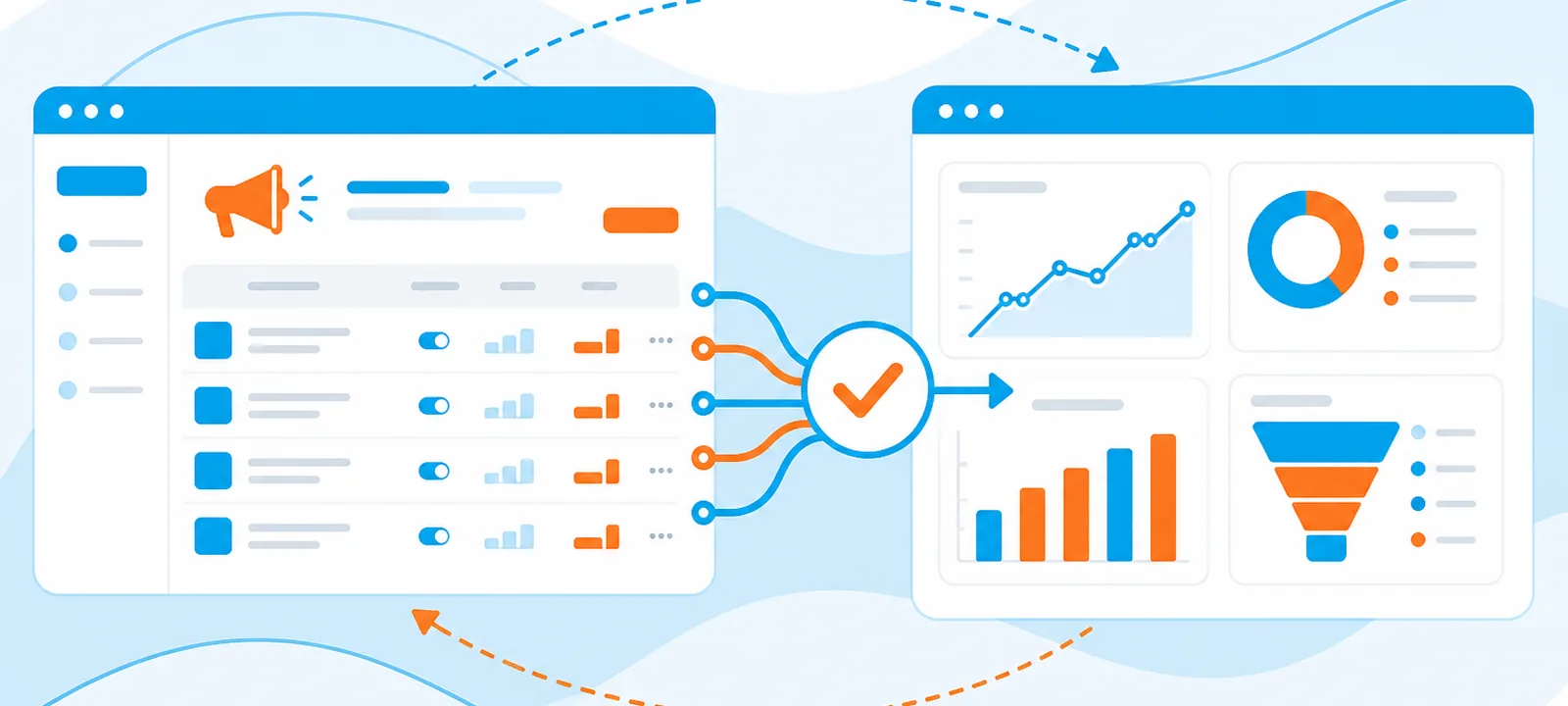
Google Ads conversion tracking measures only the conversions that follow a Google ad click, and feeds them straight into Smart Bidding. Google Analytics measures conversions from every traffic source, with a choice of attribution models, and does not influence bidding unless you import the data. Most advertisers need both, running side by side.
The two tools count differently on purpose, which is why the same week can produce two different conversion totals. This guide sets out how each one works, where the numbers diverge, and which tool to trust for which decision.
Google Ads vs Google Analytics conversion tracking: the differences
Ten differences decide which platform answers which question.
Difference | Google Ads | Google Analytics (GA4) |
|---|---|---|
Data source | Conversions from Google ad clicks only | Conversions from every traffic source |
Attribution model | Data-driven by default, set per conversion action | Several models: first click, linear, time decay, data-driven |
Conversion window | Customisable, up to 90 days | Default acquisition window of six months |
Conversion date | Credited to the date of the click | Credited to the date of the conversion |
Cross-device tracking | Stronger, using signed-in Google accounts | More limited |
Bidding integration | Feeds Smart Bidding directly | Needs importing into Google Ads first |
Offline conversions | Supports offline conversion import | Limited |
View-through conversions | Tracked for Display and video | Not tracked |
Cost data | Included | Requires a linked Google Ads account |
What it is for | Optimising paid campaigns | Understanding behaviour across all channels |
What is Google Ads conversion tracking?
Google Ads conversion tracking is a free feature that records what people do after clicking your ad. You define the actions that count as a conversion, and Google attributes each one back to the campaign, ad group, ad and keyword that produced the click.
It works through a tag placed on your site or in your app. When someone completes a defined action, the tag fires and reports it back to Google Ads along with the click that led there.
It handles website actions, phone calls, app installs and offline conversions imported from a CRM. The reason it exists is bidding: this is the data Smart Bidding learns from, so its accuracy sets a ceiling on how well automated bidding can perform.
How does Google Ads conversion tracking work?
The chain runs from click to conversion, and each link can break.
- You create a conversion action in Google Ads and install the tag on your site, usually through Google Tag Manager.
- Someone clicks your ad. Google writes a cookie carrying the click identifier.
- That person reaches a page that counts as a conversion, such as a thank-you page or a checkout confirmation.
- The tag reads the cookie and reports the conversion, with its click identifier, back to Google Ads.
- Google credits the conversion to the campaign, ad group, ad and keyword behind the original click, and dates it to the click rather than the conversion.
Cross-device conversions are stitched together when the person is signed in to a Google account on both devices. Without a sign-in, a phone click that converts on a laptop is usually lost.
What is GA4 and how does it track conversions?
Google Analytics 4 measures traffic and engagement across websites and apps. It replaced Universal Analytics and works on an event model: everything a user does is an event, and the events you mark as key events are what GA4 reports as conversions.
Data collection runs through a JavaScript tag on every page. It records page views, time on page, device and demographic information, and the traffic source that brought the visit. Those hits go to Google's servers, where filters, segments and attribution models turn them into reports.
What GA4 gives you that Google Ads cannot:
- How users arrived, across organic, direct, referral, social and paid.
- What they did after arriving, step by step through the funnel.
- Demographics and device data for the audience as a whole.
- E-commerce detail: product performance, cart abandonment, shopping behaviour.
Because GA4 sees every channel, it is the tool for budget allocation questions. Google Ads only ever sees its own slice.
How are Google Ads and GA4 connected?
Linking a GA4 property to a Google Ads account makes data flow both ways. Google Ads campaign data appears in GA4 reports, GA4 key events can be imported into Google Ads as conversions, and GA4 audiences become available for remarketing.
Connecting the two takes five steps:
- Open Admin in GA4, select Product links and then Google Ads links, and choose the Google Ads account. You need edit access in GA4 and admin access in Google Ads.
- During linking, leave auto-tagging on. It adds the click identifier to every ad URL, allowing GA4 to tie the session back to the campaign.
- Under Goals and then Conversions in Google Ads, import the GA4 key events you want to bid on.
- In the GA4 property settings, turn on data sharing so site metrics and audiences flow into Google Ads.
- Manually add UTM parameters to URLs for traffic outside auto-tagging, such as email or social campaigns, so GA4 can still assign the source.
One warning about importing. If you import a GA4 conversion that already exists as a native Google Ads conversion, you will double count it, and Smart Bidding will bid as though the campaign performs twice as well as it does. Pick one source per action and mark only that one as primary.
Why do Google Ads and GA4 report different conversion numbers?
Different numbers are the normal state, not a bug. Six reasons account for most of the gap:
- Attribution date. Google Ads credits the conversion to the click date, GA4 to the conversion date. A click on Monday converting on Thursday lands in different days.
- Attribution model. Google Ads counts the conversion against the paid click. GA4 may credit an earlier organic or referral touch.
- Conversion window. Up to 90 days in Google Ads, six months by default in GA4.
- Consent mode. GA4 drops sessions where consent is refused; Google Ads models some of them back in.
- Bot filtering. GA4 filters known bots by default. Google Ads charges for clicks it has not yet judged invalid.
- Tag firing. A tag that misses on mobile or fires twice on refresh skews one platform and not the other.
A gap of 5% to 10% is usually normal. Beyond that, work through the causes in the guide to data discrepancies between Google Ads and GA4.
When should you use Google Ads vs Google Analytics?
Use Google Ads conversion tracking when
- You are optimising campaigns and need to know which keywords and ads produce conversions.
- You run Smart Bidding. Target CPA and Target ROAS depend on this data, and nothing else feeds them as directly.
- You need cross-device conversions from signed-in users.
- You run Display or video and want view-through conversions, which GA4 does not record.
- Sales close offline and you import them back from a CRM.
- You need Google Ads-specific metrics: Quality Score, ad position, impression share.
Use GA4 when
- You are comparing channels and deciding where the budget should go.
- You need multi-touch attribution across a long or complicated buying journey.
- You are diagnosing a funnel: where people drop out and on which step.
- You run e-commerce and need product-level and cart-level detail.
- You want custom segments, dimensions or reports that Google Ads cannot build.
- You are combining data from a CRM or email platform in one place.
Best practices for conversion tracking across both platforms
- Run both. They answer different questions, and cross-referencing catches tracking faults neither would show alone.
- Align the definitions. A "lead" has to mean the same thing in both tools, or every comparison is noise.
- Deploy through Google Tag Manager. One place to manage tags, and far fewer duplicate-firing mistakes.
- Set up cross-domain tracking if the funnel crosses domains, in both platforms, or the session breaks at the handover.
- Avoid double counting. Never mark both the native Google Ads conversion and the imported GA4 event as primary for the same action.
- Audit quarterly. Tags break silently after site releases. A quarterly check catches it before a quarter of data is wrong.
- Assign conversion values. Value-based bidding needs them, and ROI analysis is guesswork without them.
- Check the traffic before you trust the rate. A conversion rate calculated on clicks that were never human is a fiction.
How does invalid traffic distort conversion tracking?
Both platforms assume the click came from a person. When it did not, each tool gets it wrong in its own way.
Google Ads counts the click, charges for it, and records no conversion. The conversion rate for that keyword, device or region falls, and Smart Bidding learns to avoid a segment that may have been fine. GA4 filters known bots by default, so the same click may never appear as a session, which widens the gap between the two platforms and sends people hunting for a tagging fault that does not exist.
Sophisticated invalid traffic passes GA4's default filter, so it shows up as a session with a one-second duration and a 100% bounce. Filtering it out of reporting is worth doing, and it does not stop you paying for the click. Blocking it at the source is what changes the number in Google Ads billing.
Two practical steps: filter bot traffic in GA4 so your analytics reflect real people, and measure what share of paid clicks fails a quality check before you conclude the tracking is broken. Across the 1,793+ businesses running ClickPatrol, the accounts with the widest Google Ads to GA4 gaps are consistently the ones with the highest invalid click share.
Frequently Asked Questions
Why do Google Ads and GA4 conversions differ?
Can I optimise Google Ads using GA4 data?
Yes. Link the accounts and import GA4 key events into Google Ads as conversions. Do not mark both the imported event and a native Google Ads conversion as primary for the same action, or Smart Bidding will count it twice.
Which tool should I trust for conversion data?
Google Ads for bidding and campaign decisions, because that is the data Smart Bidding actually uses. GA4 for channel comparison and funnel analysis, because it sees traffic Google Ads cannot. They are answering different questions, so neither is more correct.
Does GA4 track view-through conversions?
No. View-through conversions, where someone sees a Display or video ad and converts later without clicking, are recorded only in Google Ads reporting. GA4 does not attribute those impressions as conversions. Comparing the two platforms on Display or video campaigns will therefore always show a gap for that reason.
Does invalid traffic affect conversion tracking?
Yes, and it affects each platform differently. Google Ads charges for the click and records no conversion, which lowers the measured conversion rate. GA4 filters known bots, so the same click may never appear as a session. That widens the gap between the two and sends people looking for a tagging fault that does not exist.

Written & reviewed by
Abisola Tanzako
Content Manager, ClickPatrol (click fraud & invalid-traffic specialist)
Abisola covers bot traffic, ad fraud and PPC protection, drawing on ClickPatrol platform data from 1,793+ businesses.
Last updated: 6 October 2026