Detection combines IP monitoring, device fingerprinting, behavioural analysis and machine learning. No single signal decides it. ClickPatrol scores each click against 800+ signals and blocks the source only when the combined score passes a threshold, which is what keeps genuine visitors from being excluded.
-
Solutions
-
 Click Fraud Protection
Block invalid clicks across every ad channel.
-
 Smart Bidding Protection
Feed Google clean, human-only signals.
-
 Clean Remarketing Audiences
Exclude suspicious traffic from your lists.
-
 All Features
Every ClickPatrol feature in one place.
-
 E-commerce & Retail
Protect shopping campaigns and product feeds.
-
 Service Providers
Stop wasted spend on local & lead-gen ads.
-
 Mobile App Providers
Protect app install and in-app ad campaigns.
-
 Marketing Agencies
Show clients real, reportable media savings.
-
 All Industries
Browse click fraud protection by industry.
-
 Small Business
Affordable protection that pays for itself.
-
 Enterprises
Scale protection across brands & accounts.
-
 Regional Companies
Keep local budgets on real, nearby buyers.
-
 Multinationals
Consistent protection across every market.
-
-
Resources
-
What is Click Fraud?
Learn what fake PPC clicks are and why they matter.
-
 Bot Traffic
Detect and block non-human clicks.
-
 Competitor Fraud
Stop rivals draining your budget.
-
 Sophisticated Fraud
Catch SIVT that native filters miss.
-
 Click Farms
Stop coordinated low-quality click operations.
-
 Invalid Traffic
Block every click that never converts.
-
 FAQ
FAQ
Answers to the most common questions.
-
 Blog
Blog
Articles and guides from our expert team.
-
 Comparisons
ClickPatrol vs ClickCease and other tools.
-
 Tools
Tools
Free tools by ClickPatrol & Friends.
-
 About ClickPatrol™
Who we are and our mission.
-
 Case Studies
Why agencies and businesses use ClickPatrol.
-
 Customer Reviews
Reviews and success stories from customers.
-
 Partner Program
Join our affiliate & partner program.
-
 Contact us
Talk to our team about your ad traffic.
-
- Pricing
Best Click Fraud Protection Software
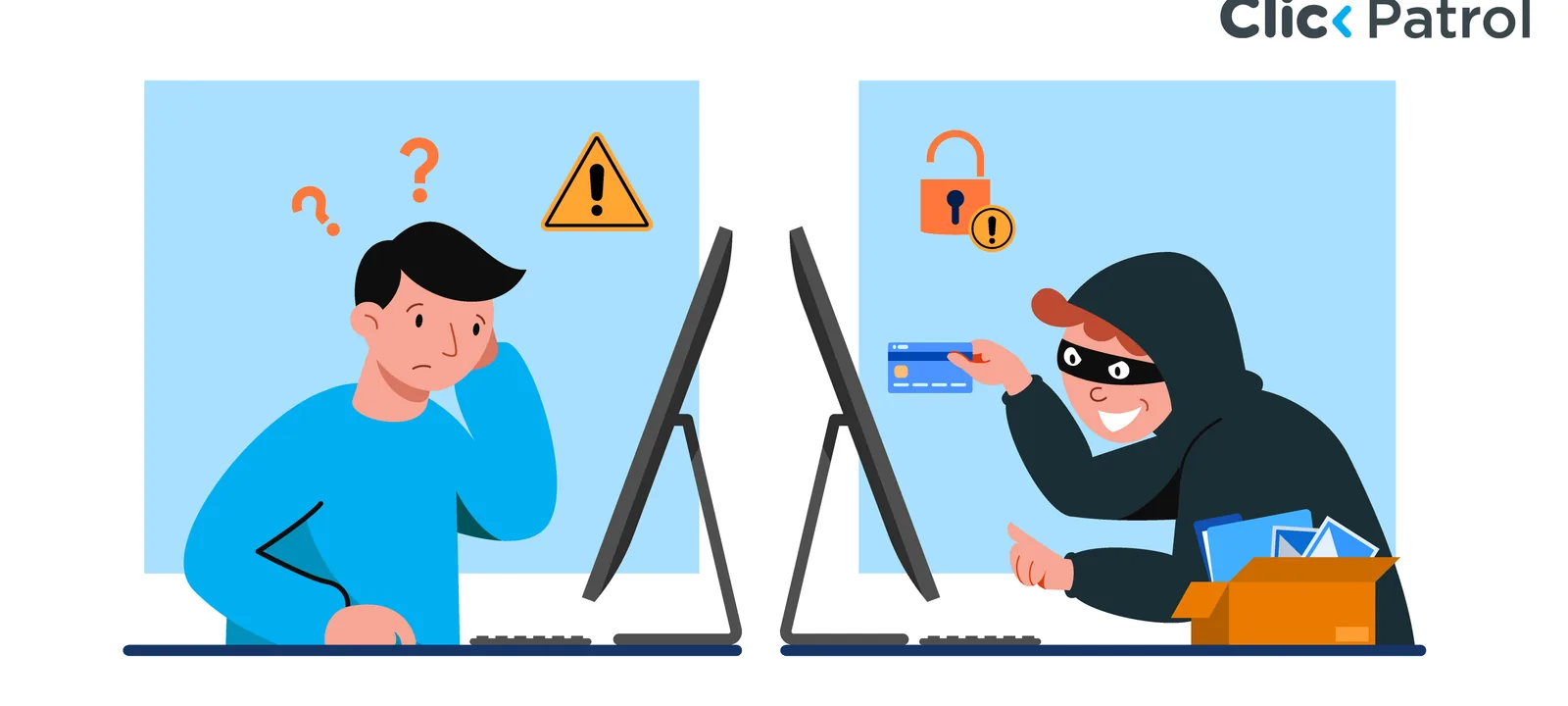
Click fraud protection software detects invalid clicks on paid ads and blocks the sources behind them before they drain a daily budget. The best tools score every click on IP, device fingerprint, behaviour and network signals, add bad sources to your exclusion lists automatically, and report the blocked traffic back to the ad platform.
This comparison covers seven tools advertisers shortlist most often. Published entry prices run from $29 to $99 per month, two of the seven publish no price at all, and the cheapest plan in the set is also the narrowest: it covers Google Search only, on one domain. Every figure below is the vendor's own published price, retrieved 10 August 2026, and changes without notice.
What is click fraud protection software?
Click fraud protection software is a monitoring layer that sits between your ads and your website. It records every click, compares it against known patterns of invalid traffic, and blocks the sources that fail the check.
The checks are not a single test. A tool looks at the IP address, the device fingerprint, how often that visitor has hit your ads, where the click came from, what the browser reports about itself, and how the session behaves after landing. ClickPatrol uses 800+ signals across those categories, and no single one of them, including the IP address, triggers a block on its own.
Once a source is judged invalid, the software adds it to the exclusion list in your ad account. That is the part that saves money: the same bot or competitor cannot come back tomorrow and click again.
Signs you need click fraud protection software
Before you compare tools, confirm you have the problem. These four signals show up together when campaigns are being hit:
- Very high bounce rates combined with session times of a second or two.
- Traffic from regions you do not advertise in, or from regions you do not sell to.
- Repeated clicks from the same IP address, device or narrow device fingerprint.
- Daily budgets exhausted far earlier in the day than they used to be.
One of these on its own can be a landing page problem. Three of them at once is rarely anything else. If you want the number before you buy anything, click fraud protection starts with measuring what share of your clicks is invalid.
Which industries get hit hardest?
Exposure follows cost per click. The more a click is worth, the more attractive it is to waste.
- Legal services: terms such as personal injury lawyer or car accident attorney run well past €50 per click, so a handful of fake clicks costs hundreds.
- Finance and insurance: loans, investment and insurance terms sit in the same high CPC bracket and attract both bots and unscrupulous competitors.
- E-commerce and retail: shopping campaigns are the easiest for a competitor to drain, and the damage shows up in product-level performance data as well as in spend.
- B2B tech and SaaS: long sales cycles let fraud blend into genuine traffic, because nobody expects a click to convert this month anyway.
Best click fraud protection software compared
Seven tools, side by side, on the four things that decide the shortlist. Read the price column together with the platform column: on this market they move in opposite directions.
Tool | Best for | Starting price | Free trial | Platforms on the entry plan |
|---|---|---|---|---|
ClickPatrol | Advertisers and agencies that want blocking rather than reporting | €59 per month, billed annually | 7 days | Google Ads including Performance Max, Microsoft Ads, Meta, DV360 |
ClickCease | WordPress sites | $99 per month, billed annually | 7 days | Google Ads, Meta, Microsoft Advertising |
ClickGuard | Rule-based control over Google Ads | $74 per month | Yes | One of Google, Microsoft or Meta, one account |
TrafficGuard | The lowest published entry price | $49 per month | 30 days, detection only | Google Search Ads, one domain |
Lunio | Multi-channel paid media teams | Not published | 14-day traffic audit, not a product trial | Google, Meta and a wide channel set |
Anura | Ad networks and affiliate traffic | Not published | 15 days, arranged through sales | Search and social, through Search and Social Protect |
Improvely | Small teams that want tracking and alerting in one place | $29 per month | 14 days | Google, Bing, Meta, AdRoll, Taboola |
Two things in that table decide more than the price does. TrafficGuard's $49 plan is Google Search only on a single domain, and its 30-day trial runs in detection mode, so nothing is blocked until you switch it on. Improvely and Anura's core product report the invalid traffic and leave the exclusion to you: Improvely names the offending IP and tells you how to block it, and Anura only hides ads through its separate Search and Social Protect product. If you want the exclusion written into the ad account without you touching it, that narrows the seven to four.
ClickPatrol
ClickPatrol screens every click on a campaign against 800+ IP and fingerprint characteristics: location, device type, device software, how many times that visitor has hit the campaign, and how the session behaves afterwards. Each deviation from the profile of a genuine click adds to a score. Pass the flag threshold and the click is marked; pass the block threshold and the source is excluded.
A campaign running on desktop in the United States that suddenly takes a click from a mobile device in India is the simple version of that logic. Most real cases are less obvious, which is why the score matters more than any single rule.
What advertisers get that is harder to find elsewhere: full control over how aggressive the blocking is, manual review of blocked IPs with whitelist and blacklist, support for every Google campaign type including Performance Max, Search, Display, Shopping, Apps and Gmail Sponsored Promotions, and reporting that exports the click-level data the ad network does not give you. It is a Google Certified Click Tracker, and 1,793+ businesses across Europe, Africa and the US run it today.
Be clear about the tiers before you sign up, because the naming invites a misunderstanding. Traffic Insights is a monitoring-only account: it shows what your invalid traffic looks like and blocks nothing. Automatic IP blocking and every other active exclusion sit behind a paid Traffic Security plan, from €59 per month billed annually. The 7-day trial is how you see the numbers first, not a permanent free tier.
Pros: blocking on Google, Microsoft, Meta and DV360 from the entry plan, adjustable thresholds, API access, every Google campaign type.
Cons: the monitoring tier does not block, and the product is strongest on Google Ads, so an advertiser running Meta alone gets less out of it.
ClickCease
ClickCease is the usual pick for WordPress sites. It runs continuous bot detection and sends blocked bots to a 403 page rather than letting them reach the site, which also cuts spam comments and bot checkouts on e-commerce stores.
Its distinctive reporting feature is a global heatmap of invalid clicks, so you can see which regions produce the waste and adjust ad targeting accordingly. Integrations cover WordPress, Google Ads, Meta for Business, Instagram and Microsoft Advertising. If you are weighing it against other options, the click fraud tool alternatives hub has head-to-head comparisons.
Pricing starts at $99 per month on Starter, billed annually, for one website and 5,000 traffic. Two details matter before you compare that with anything else: the headline figure is a three-month promotional rate, and the traffic allowance counts internal page views rather than ad clicks alone, so a busy site burns through it faster than the number suggests. Agency permissions and white-label reporting begin at Pro, $149 per month.
Pros: easy setup, works with all WordPress plugins, unlimited Google Ads accounts on every plan.
Cons: the entry price is the highest in this comparison once the promo ends, and the traffic allowance is spent by ordinary site visitors as well as ad clicks.
ClickGuard
ClickGuard gives you rule-based control over paid traffic: proxy and VPN identification, time-on-site conditions, geolocation rules and automated optimisation. Reports go deep on keyword performance and threat analysis, and can be scheduled out to clients or team members.
Lite starts at $74 per month and covers one website, one PPC account and up to $5,000 in monthly ad spend. Read "one platform" literally: Lite protects Google, Microsoft or Meta, not all three. Standard is $119 for three websites and $50k spend, Pro $159 for unlimited websites and $100k. Data retention is one month on Lite and two on Standard, which is short if you need to reconstruct what happened last quarter.
Pros: granular rules, strong Google Ads tracking, useful behaviour analysis.
Cons: the interface takes work to learn, price scales with ad spend so the "from" figure understates what a larger account pays, and short data retention on the lower tiers.
TrafficGuard
TrafficGuard carries the lowest published entry price in this set at $49 per month, and the narrowest entry scope to match: the Shield plan covers Google Search Ads on a single domain, up to $30,000 in monthly ad spend. Performance Max protection, Meta, affiliate and mobile all sit on the Scale plan or on separate enterprise products, every one of them custom quoted. The page labels the $49 as a limited promotional price with the regular figure masked.
The trial deserves a closer look than the headline "30 days" suggests. It runs in detection mode, so for those 30 days the tool reports invalid traffic and blocks none of it. That is a reasonable way to size the problem and a poor way to test whether blocking hurts your genuine traffic.
Pros: lowest published entry price, the longest trial in the set, detection mode before you commit to blocking, custom click-frequency and validation rules.
Cons: one domain and Google Search only on the entry plan, an agency above $30k combined client spend is routed to a quote, and the trial does not block.
Lunio
Lunio, formerly PPC Protect, detects invalid, non-human and accidental clicks across the widest named channel list in this category: Google, Meta, Bing, X, LinkedIn, Reddit, TikTok, Yandex and Naver among others. An invalid IP found in one campaign is excluded across the other platforms automatically, rather than kept in a per-platform list, and every click is retained as first-party data for two years. For comparison, ClickGuard's Pro tier holds six months.
Nothing is published about the price. The pricing page is a contact form, and the vendor describes the cost as a small fraction of your ad spend, adjusted to your channel coverage. Spend-based pricing means the bill grows with the budget even in a quarter where invalid traffic falls. The 14-day offer is a traffic audit booked through a demo, not a self-serve trial, and there is no indication that blocking runs during it.
Pros: widest channel coverage here, cross-platform exclusion, two years of click data, multi-workspace management for agencies.
Cons: no published pricing of any kind, cost tied to ad spend, and the free offer is an audit rather than a working trial.
Anura
Anura is a detection engine rather than a blocker, and the distinction is the whole point of the product. The script returns Good, Warning or Bad for each visitor, the server-to-server API returns SUSPECT or NONSUSPECT, and there is no numerical score, which the vendor calls a vanity metric. It guarantees 99.999% accuracy on the Bad verdict specifically, meaning a visitor it calls bad is one it is certain about. That is a claim about false positives, not about how much fraud it catches.
On blocking, the vendor's own site says two things at once, and both belong here. The FAQ states plainly that Anura does not stop bad traffic and does not block visitors in any way, giving you the answer in real time so you can handle the visitor yourself. The Search and Social Protect page describes ads being hidden automatically from visitors it has flagged, on Google, Meta, Microsoft, TikTok, X, YouTube and LinkedIn. Read together: the core product informs, the add-on acts.
Pricing is quote-only and usage-based, with no figure published anywhere on the site. The trial runs 15 days and is arranged through sales, with your data staying accessible for two weeks afterwards if you do not sign up. The customer base skews to affiliate marketers, lead generation, ad networks and programmatic buyers rather than SMB search advertisers.
Pros: broadest channel list of any vendor here, pre-bid programmatic use through the API, a clear verdict instead of a threshold to tune, generous data access after a trial.
Cons: the core product does not block, pricing is quote-only, individual detection rules are not disclosed, and support runs US business hours.
Improvely
Improvely combines click fraud detection with conversion tracking and analytics, which suits small teams that would otherwise buy two tools. Conversion monitoring identifies the source of each signup and transaction, so you can see which channels produce real customers rather than clicks. Freelancer is $29 per month for 10,000 tracked visits and one member; Small Agency is $149 with sub-accounts.
Be clear about what the fraud feature does. Improvely reports the offending IP address and tells you how to exclude it. It does not write the exclusion into your ad account, so every block is a manual step you take yourself. There is no documented Meta or Microsoft Ads protection, and the vendor's own click fraud page still cites a 17 to 29% figure sourced to Click Forensics and Anchor Intelligence without a date, which is old enough to treat as background rather than evidence.
Pros: the lowest entry price here, 14-day trial, conversion tracking and fraud alerting under one subscription, customer profiles and multi-user access.
Cons: blocking is manual, no documented protection outside Google and Bing, and detection is lighter than the specialists above.
Click fraud detection and click fraud blocking are not the same purchase
Detection tells you a click was fake. Blocking stops that source from clicking again tomorrow. Plenty of products sold as click fraud detection software do only the first, and the difference decides whether your budget stops draining or you simply get a report about it draining.
Vendors use fake clicks, invalid clicks, invalid traffic and click fraud for roughly the same thing, so the labels will not tell you which of the two you are buying. This will:
Tool | What happens after a fake click is identified |
|---|---|
ClickPatrol | The source is added to the exclusion list in your ad account automatically, on a paid Traffic Security plan. The Traffic Insights tier reports only. |
ClickCease | Fraudulent IPs are blocked automatically. |
ClickGuard | Your rules decide, and the tool applies them. |
TrafficGuard | Blocked once you activate it. The 30-day trial runs in detection mode and blocks nothing. |
Lunio | Excluded across every connected platform, not only the one where the click landed. |
Anura | Nothing, unless you buy Search and Social Protect. The core product returns a verdict and leaves the response to you. |
Improvely | You are told which IP to exclude and you apply it yourself. |
Detection on its own has a real use: it sizes the problem, and it gives you the evidence to take to a network or an affiliate partner. It is the wrong purchase if what you wanted was for the money to stop leaving. Ask any vendor the plain version of the question, which is whether the exclusion lands in your ad account without anyone doing anything, and on which plan.
How to choose click fraud protection software
Four criteria decide it, in this order.
Detection method
Rule-based IP blocking is the cheap version and the easy one to evade: a fraudster changes IP and the rule stops working. Score-based detection that combines fingerprinting, behaviour and network checks costs more and holds up longer. Ask any vendor what happens when the same actor rotates through residential proxies.
Platform coverage
Most tools cover Google Ads well. Microsoft Ads, Meta and display networks are where coverage thins out. Buy for the platforms you actually run, not the ones in the feature matrix.
Reporting
You want click-level data you can export: which sources were blocked, when, and on what evidence. That is what turns a monthly invoice into a defensible decision, and for agencies it is what goes in the client report. Ask for a sample report before you sign.
Scalability and support
Seasonal spikes and multi-account structures break tools that were built for one advertiser. If you manage several accounts, check that the dashboard handles them under one login, and check how fast support responds, because a tool that flags unusual activity at 2am is only useful if someone answers.
How much does click fraud protection software cost?
Published entry plans run from $29 to $99 per month. Nothing in this category is permanently free: the free tiers advertisers remember are trials of 7 to 30 days, or monitoring accounts that report invalid traffic without blocking any of it. Agency and enterprise tiers are quoted, not listed.
Plan tier | Monthly cost | What you actually get |
|---|---|---|
Trial or monitoring | $0 for 7 to 30 days | Measure the invalid traffic. Blocking is usually off |
Entry | $29 to $99 | One website or account, one or two platforms, capped spend or traffic |
Growth | $119 to $159 | Several websites, higher spend caps, longer data retention |
Agency | $149 to $349 | Sub-accounts, white-label reporting, client permissions |
Enterprise | Quoted | Unlimited spend, omnichannel coverage, dedicated support |
Two of the seven tools here publish no price at all. That is worth factoring into the evaluation time: a quote-only vendor costs you a sales cycle before you know whether it fits the budget.
What factors influence click fraud protection pricing?
Traffic volume, detection method and platform coverage are the three biggest drivers of where a tool sits on the pricing spectrum.
- Traffic volume and ad spend: higher click volume or ad spend generally means a higher tier, since most pricing models scale with usage.
- Detection capabilities: basic rule-based IP blocking costs less than bot detection that runs behavioural analysis and residential proxy checks, because those need more processing and ongoing model training.
- Automation level: continuous, automated blocking costs more than manual or scheduled exclusion list updates, since it requires always-on monitoring infrastructure.
- Platform coverage: basic plans often cover only Google Ads. Protection across Microsoft Ads, Meta and display networks typically falls into the mid-tier or higher.
- Reporting depth and integrations: API connections to CRM, analytics or attribution tools, plus exportable logs and IP-level analysis, tend to sit on higher-tier plans.
- Multi-account management: agencies paying for several ad accounts under one login generally pay more, since multi-account dashboards and permission controls add engineering overhead.
- Support level: priority support and a dedicated account manager are usually premium-plan features.
How do plans compare across the market?
Price alone does not tell you what you are getting. Coverage and detection quality vary as much as cost does.
Category | Starting price | Free trial | Google Ads coverage | Multi-platform |
|---|---|---|---|---|
Built into Google Ads | $0 | N/A | Manual IP exclusions, capped at 500 addresses per campaign | No |
Reporting tools | $29 to $49/mo | 14 to 30 days | Detection yes, blocking manual or extra | Limited |
Mid-market blockers (e.g. ClickPatrol) | €59 to $99/mo | 7 days | Automatic and continuous | Yes, from the entry plan on some tools |
Quote-only platforms | Not published | Audit or sales-arranged trial | Full automation | Yes |
ClickPatrol sits in the mid-market range: automated blocking and multi-platform support without the custom-quote process enterprise tools require. That is usually the right band for SMBs and agencies that need more than monitoring but do not have an enterprise budget.
Are there hidden costs with click fraud protection tools?
Yes. The advertised monthly fee is not always the full picture. Watch for setup or onboarding fees on enterprise plans, charges for API access beyond a certain call volume, per-account fees if you manage multiple campaigns, and overage charges if you pass your plan's click or spend threshold mid-month.
Ask the provider directly whether any of these apply to your account before you sign up.
Which pricing tier fits your business?
The right tier depends on your spend and how your campaigns are structured.
- Local service businesses such as plumbers, locksmiths and contractors run smaller monthly budgets but carry disproportionate exposure, because invalid click rates in these categories regularly run above average. An entry plan with automated blocking is usually enough, since the priority is catching obvious bot and competitor activity fast.
- E-commerce stores run higher click volumes on thinner margins, so click-volume pricing gets expensive quickly. Spend-based plans on the Growth tier fit better, especially with Shopping and Performance Max campaigns where manual monitoring is not practical.
- SaaS companies pay higher CPCs across longer conversion windows, which makes each fraudulent click costly even at low volume. A growth or agency plan with real reporting matters here.
If you spend... | Recommended tier |
|---|---|
Under $1,000/month | Entry, after a trial to confirm you have the problem |
$1,000 to $5,000/month | Entry |
$5,000 to $20,000/month | Growth |
Agency managing multiple accounts | Agency tier |
$20,000+/month or multi-account at scale | Enterprise (custom) |
Is click fraud protection worth the cost?
The cost only makes sense if it is lower than what you are losing. Use this calculation:
Monthly invalid clicks × average CPC = estimated wasted spend. Compare that figure against the subscription price.
TrafficGuard's click fraud statistics put search campaign fraud rates between 14% and 22% depending on industry (vendor research, accessed August 2026). On a $1,500 monthly budget, a $29 to $59 plan that recovers 8% to 10% of the spend has already paid for itself.
Not every advertiser needs a premium plan. Smaller accounts with straightforward campaigns can start on an entry plan and move up only when campaigns get more complex or spread across more platforms.
Is agency pricing different from standard plans?
Yes. Agencies need pricing structured around client accounts rather than a single ad budget. Most providers offer agency or reseller tiers that bundle several accounts under one subscription at a lower per-account cost than buying individual plans.
Look for white-label reporting so reports go out under your own branding, per-client breakdowns inside one dashboard, and the ability to add or remove accounts without renegotiating the contract. At five or more client accounts, ask about agency pricing rather than defaulting to the standard tier list. The agency click fraud protection page covers how multi-account reporting works in practice.
Can click fraud protection tools reduce your cost per click?
Yes, indirectly. When invalid clicks stop polluting your account data, bidding algorithms train on more reliable inputs. Google's Smart Bidding sets bids from conversion history, and a history padded with bot-driven non-conversions produces inefficient bids.
Cleaning up that input is what improves bidding performance, and the effective CPC follows over time. It is a slower effect than the blocked-click saving, and a larger one.
What pricing mistakes should you avoid?
Price matters, but it is not the only factor. Four mistakes come up repeatedly:
- Buying an enterprise plan before you need one. A Starter or Growth plan often covers a smaller account just as well at a fraction of the cost.
- Paying for features you do not use. Multi-platform coverage is wasted if you only advertise on Google Ads.
- Choosing on price alone. A cheaper tool that misses sophisticated fraud costs more in the end, because the invalid clicks keep landing.
- Ignoring support quality. When a tool flags unusual activity, slow support means the budget keeps draining while you wait.
How to evaluate click fraud protection tools before you buy
Four practical checks before committing to a plan:
- Is there a free trial or money-back guarantee? That lets you benchmark invalid traffic volume before and after.
- Does it support the platforms you actually advertise on? Google Ads coverage is standard, so confirm Microsoft Ads or Meta separately if you need them.
- What does the reporting look like? Ask for a sample so you know what data you will have.
- Is support responsive? Test the support channel before you sign, not after.
If you already know invalid traffic is the problem and want to see what a plan costs, the click fraud protection pricing page lists the tiers.
Frequently Asked Questions
How is click fraud detected?
How much does click fraud protection software cost?
Published entry plans run from $29 to $99 per month, and ClickPatrol's Traffic Security Starter is €59 billed annually. Growth tiers sit around $119 to $159, agency tiers $149 to $349, and enterprise is quoted. Two of the better-known vendors, Lunio and Anura, publish no price at all. Nothing here is permanently free: the free options are trials of 7 to 30 days or monitoring accounts that do not block. Figures retrieved 10 August 2026.
Does click fraud protection get my money back from Google?
Partly. Google issues credits for invalid activity it detects itself, and those appear in Google Ads billing rather than in the protection tool. Manual review credits take roughly 4 to 8 weeks, with about a 5% approval rate on contested clicks. Blocking the traffic up front saves more than reclaiming it afterwards.
What is the difference between click fraud detection and click fraud blocking?
Detection identifies the invalid click and reports it. Blocking adds the source to the exclusion list in your ad account so it cannot click again. Several tools sold as click fraud detection software stop at the first step: Anura's core product returns a verdict and explicitly does not block, and Improvely names the IP and leaves the exclusion to you. Ask on which plan the exclusion is written into the ad account automatically.
Can I stop click fraud without buying software?
You can reduce it. IP exclusions, negative keywords, placement exclusions and tighter geotargeting all help, and Google Ads caps IP exclusions at 500 addresses per campaign. That is enough for a known competitor or a test IP, and not enough for bots that rotate across thousands of addresses.